
Phishing emails reportedly reached Japanese users with legitimate companies’ official-account marks or brand logos. Proofpoint’s 18 October 2026 commentary discusses a possible explanation: the attacker reused a genuinely signed email, changed information outside the signature, and delivered the copy to other recipients.
The company’s DKIM signature could remain valid. Its domain could still align with From. DMARC could therefore pass, even though the message was being used for phishing. The issue was a gap between the parts the sender protected and the trust a reader placed in the whole message.
What happened, in order
According to Proofpoint, DOCOMO warned about some companies’ sender-authentication settings and temporarily suspended affected official-account displays. The related DOCOMO notice is the primary reference for that warning.
The explanation based on third-party header analysis has five stages:
- Obtain a signed original. The attacker acquires a company email carrying a legitimate DKIM signature. The acquisition route is not established in the material reviewed here.
- Keep the protected material. The reported signing list was
h=From:From. It protected From but left Subject and top-level Content-Type outside that coverage. - Change the unsigned information. A different subject can change the apparent request. An unsigned Content-Type can affect how an unchanged body is interpreted. This does not allow arbitrary replacement of the protected body.
- Deliver a reused copy. The receiver can still validate the original signature. Aligned DKIM is sufficient for DMARC to pass even when the new sending route does not provide aligned SPF.
- Benefit from the brand display. A logo or official mark can make the request appear more credible, although it does not establish that the request is safe.
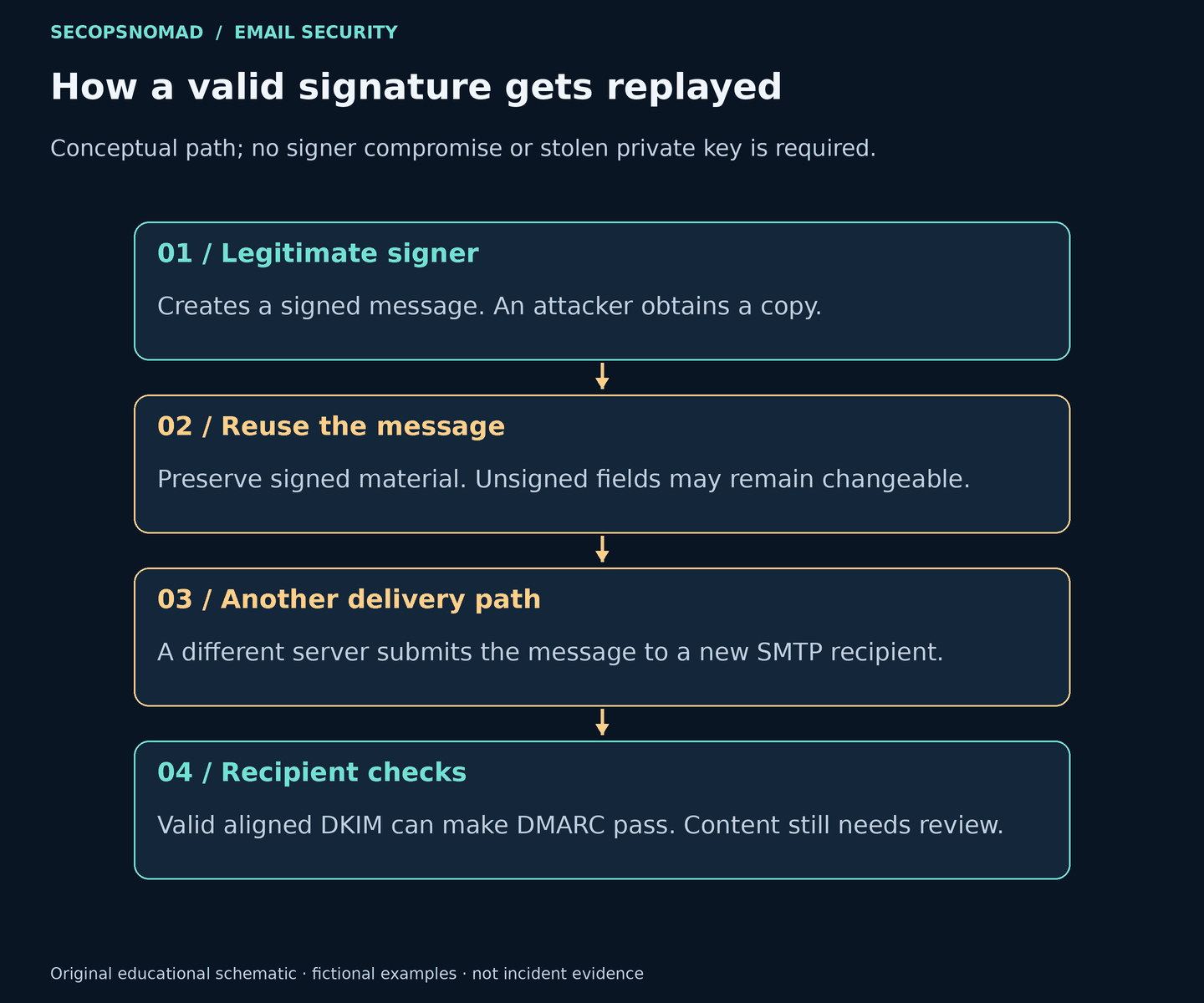
Figure 1. The proposed sequence. This illustrates the explanation in the reporting; it is not a captured delivery trace. View full size.
Evidence boundary: Proofpoint discusses a mechanism suggested by third-party analysis, not a final forensic conclusion from the affected companies. The original malicious messages and complete header analysis were unavailable for this review. The account does not establish compromise of DOCOMO’s own mail servers or signing keys.
What changed—and what remained valid
The following is a fictional example using example.com. It shows the signing gap without claiming to reproduce an attack sample.
| Part of the message | Original | Reused copy |
|---|---|---|
| From | notices@example.com |
Unchanged |
| Signing domain | d=example.com |
Unchanged |
| Subject, unsigned | Monthly notice | Urgent: review your account |
| Content-Type, unsigned | text/plain |
text/html |
| Protected body | Same harmless bytes | Same harmless bytes |
| Delivery server | Normal company sender | Different server |
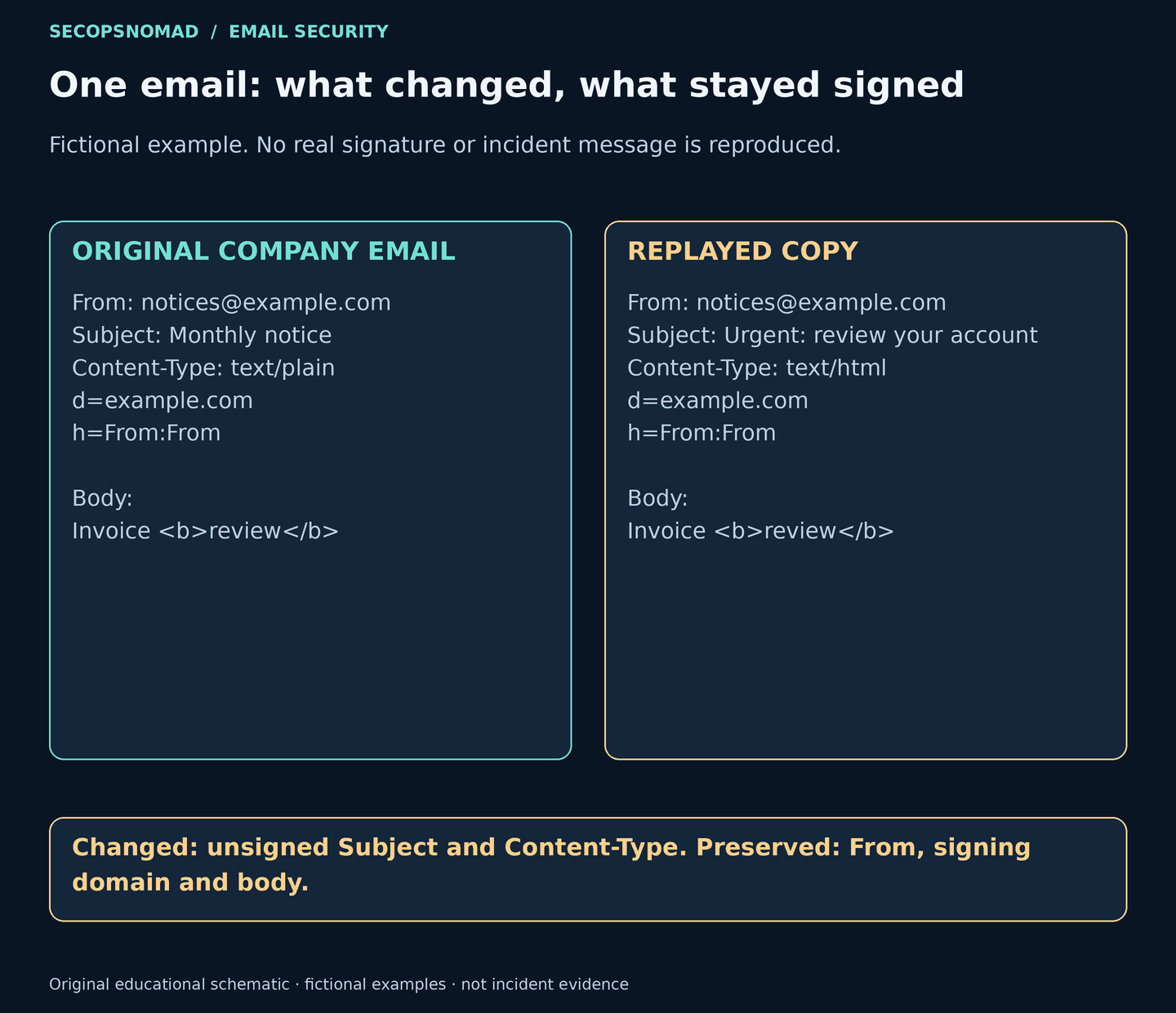
Figure 2. The signature can remain valid because the protected material is preserved. Rendering effects depend on the original message and mail client. View full size.
The double From entry does not protect other headers. The important finding is the absence of fields that affect the message’s meaning or presentation. A full-body DKIM signature still protects the body; unsigned top-level MIME instructions are a different surface.
Broader header coverage limits this kind of modification. It does not prevent an unchanged signed message from being replayed, or make an application safe if it willingly signs attacker-controlled content.
Why DMARC and brand display did not settle the question
The reused message can satisfy DMARC through aligned DKIM. p=reject applies to DMARC failures, so it does not instruct the receiver to reject this passing message. Content inspection, reputation and local policy must still assess the threat.
BIMI display and DOCOMO’s official-account mark are separate mechanisms with provider-specific rules. The reporting does not establish that every displayed logo was BIMI. Both can influence user trust; neither certifies a URL, attachment or payment instruction.
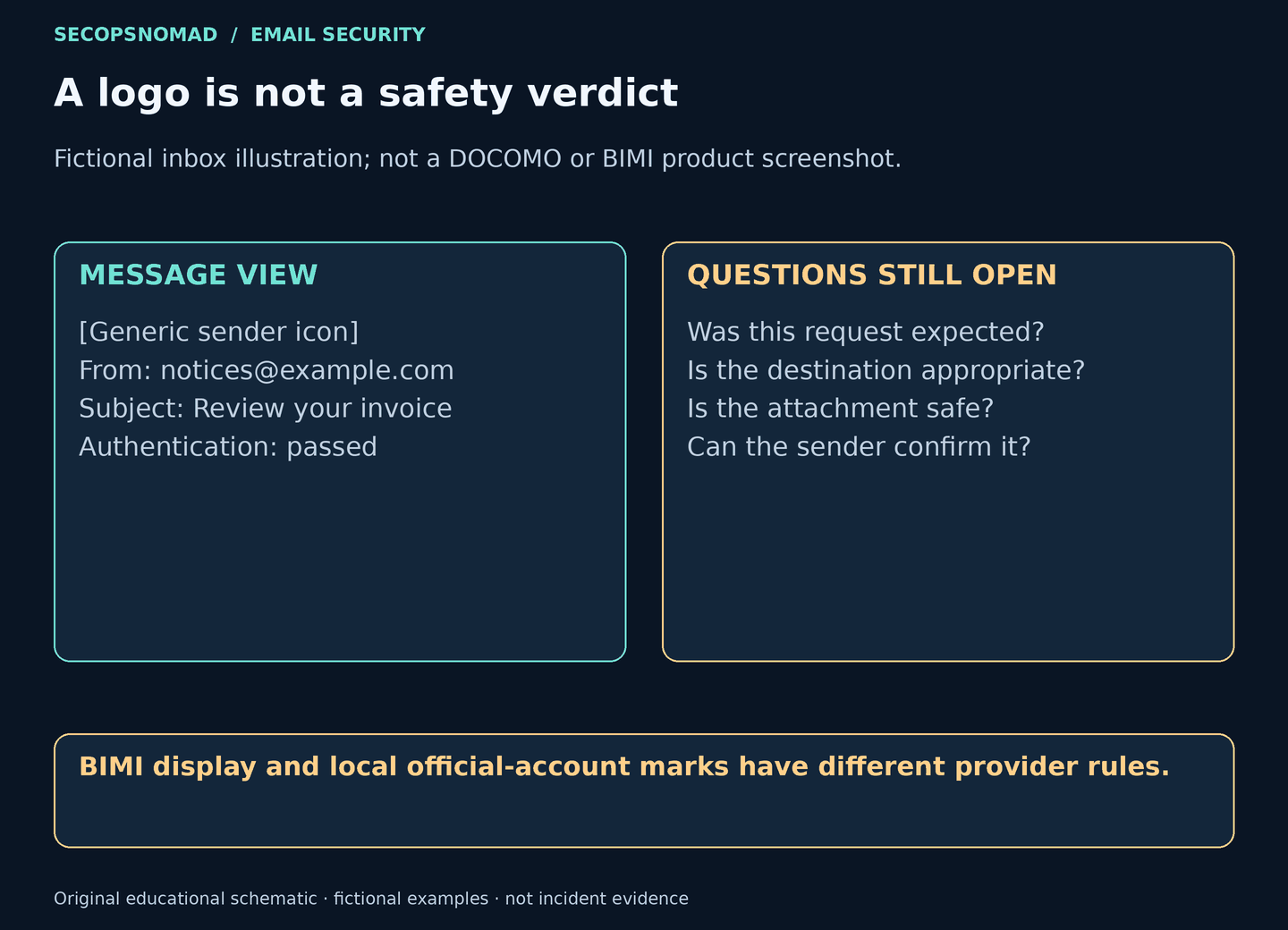
Figure 3. The displayed identity does not approve the requested action. View full size.
Keep DMARC enforcement. Requiring SPF and DKIM to both pass universally can disrupt legitimate forwarding, while strict alignment does not stop reuse of a signature whose domain already exactly matches From.
What to check in Enterprise Email Protection and TAP
The objective is to answer three incident questions: Which message arrived? What did its signer protect? What happened after delivery? Start in Email Protection, then correlate TAP evidence. Menu placement, filters and retention vary by tenant and role; use your licensed Help to confirm the available controls.
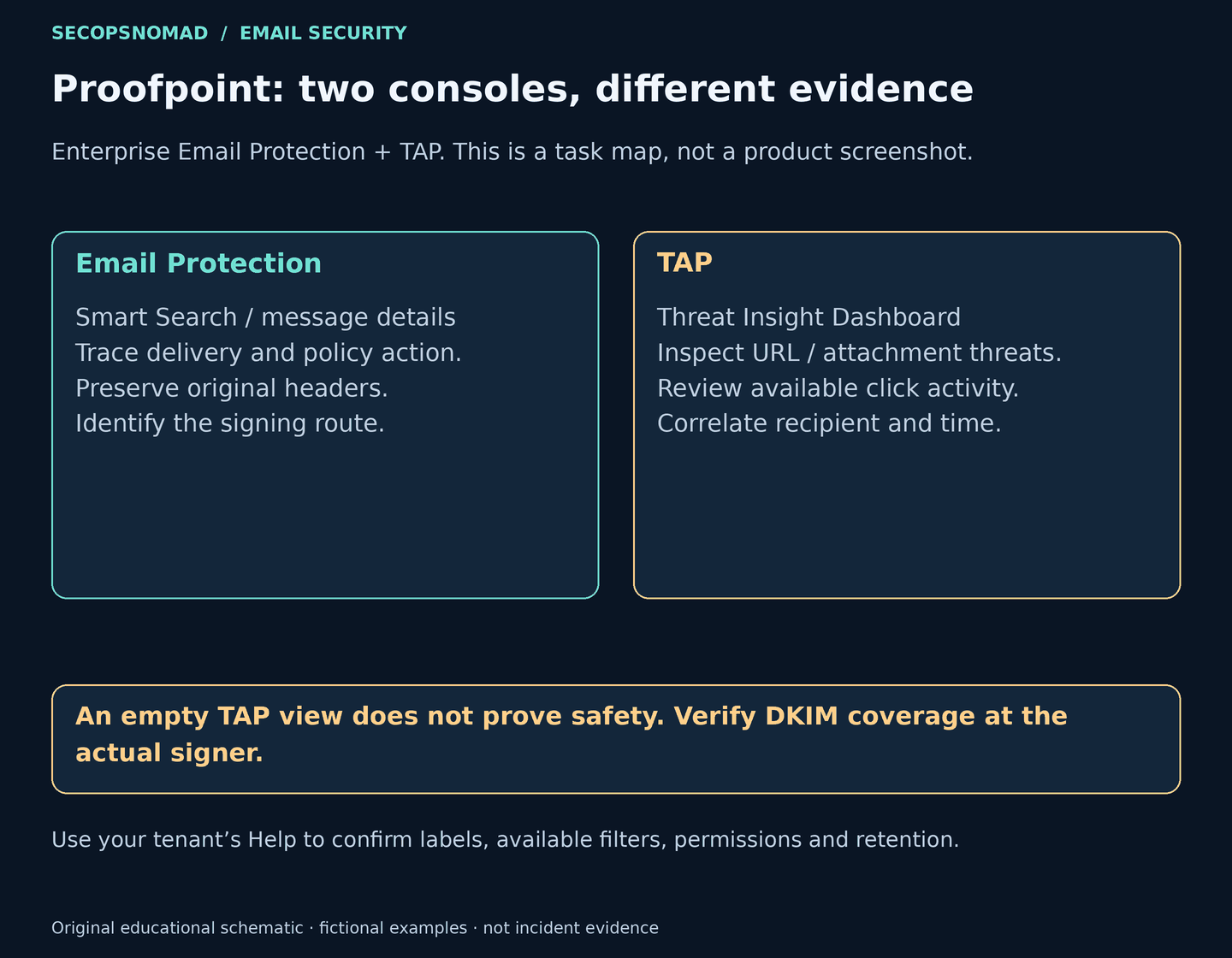
Figure 4. Use the consoles to assemble one investigation, not two disconnected searches. View full size.
1. Trace the message in Email Protection
Where: message search, commonly Logs and Reports → Smart Search.
Search the recipient and an explicit receipt-time window, recording the console’s time zone. Add exact Message-ID where supported. Compare sender and subject, but do not use subject alone to define the scope: an unsigned subject can change.
Open the matching record and retain the log ID, connecting IP, envelope sender, available visible From, route, disposition and applied rule. Establish whether it was delivered, quarantined or rejected. If there is no trace, check retention, permissions and whether that delivery path passed through the gateway.
2. Inspect the original message
Where: message details/raw-header view, or an authorized original .eml from the mailbox if the console does not retain it.
Preserve the original unchanged. Use trusted receiving-gateway Authentication-Results and inspect the actual DKIM-Signature. Record the signing domain and selector, then check whether Subject, Reply-To and relevant MIME headers appear in h=. Review body-length and expiration settings if present.
Correlate the sample with the signer’s outbound logs. A valid signature plus an unexplained source is a lead, not proof of replay. Forwarding and retries can produce similar observations. Do not assume every signature field is searchable in Smart Search.
3. Correlate threats and interaction in TAP
Where: TAP Threat Insight Dashboard, in the available email/message threat view.
Match the recipient and time window, using message or threat identifiers where supported. For a related threat, record classification, verdict and detection timeline. Review available URL click times and blocked/permitted actions; for attachments, retain available hashes and analysis verdicts. Avoid opening the suspect destination or file yourself.
A missing TAP threat does not clear the message: TAP’s threat views are not a complete delivery inventory, and replay may not involve a recognized malicious URL or attachment. A recorded click warrants follow-up but does not by itself prove credential theft.
4. Contain the affected route and verify the fix
Where: the applicable Email Protection policy/quarantine controls, the sending-service owner, and the actual signing platform.
Apply an evidence-backed, narrowly scoped containment decision with an owner and rollback plan. Pause an abused template or account where appropriate. Do not allowlist the sender because DMARC passes, or reject every DKIM-pass/SPF-fail message.
If Proofpoint applies the signature, review its supported outbound signing configuration. If an ESP, Microsoft 365, Google Workspace or an application signs it, that owner must correct the coverage. A TAP URL setting cannot change a third party’s DKIM signature.
Coordinate already-delivered mail with the mailbox administrator; Enterprise Email Protection + TAP should not be assumed to include recall/purge or unlicensed TRAP/CLEAR functions. After the change, send benign mail to controlled recipients and retain fresh samples showing the intended coverage, alignment, delivery and required forwarding behavior.
Download the Email Protection + TAP operator checklist for the investigation record.
What companies should change
| Priority | Action | Proof that the work is complete |
|---|---|---|
| Signing coverage | Review every sender’s protection of visible and MIME headers, including supported oversigning | Fresh original messages show the intended fields in h= |
| Signed-mail generation | Restrict untrusted control over subjects, content and recipients; constrain templates and rate-limit abuse | Reviewed workflows cannot generate arbitrary branded messages |
| Provider ownership | Inventory the signer, domain, selector, vendor and business owner | Each route has an accountable owner and supported remediation path |
| Lifecycle controls | Protect keys and review rotation, body-length limits and expiration | Tested changes preserve legitimate delivery; no claim that rotation or expiration alone prevents replay |
Signing To/Cc does not bind SMTP envelope recipients. Dedicated subdomains also need an alignment review before being treated as isolation. These are operational checks to apply at the actual signer, not reasons to weaken inbound authentication policy.
What to monitor after remediation
Compare DMARC aggregate reports with Email Protection traces and outbound records. Investigate unexplained increases in aligned DKIM passes from unfamiliar infrastructure, especially repeated signatures without corresponding outbound activity.
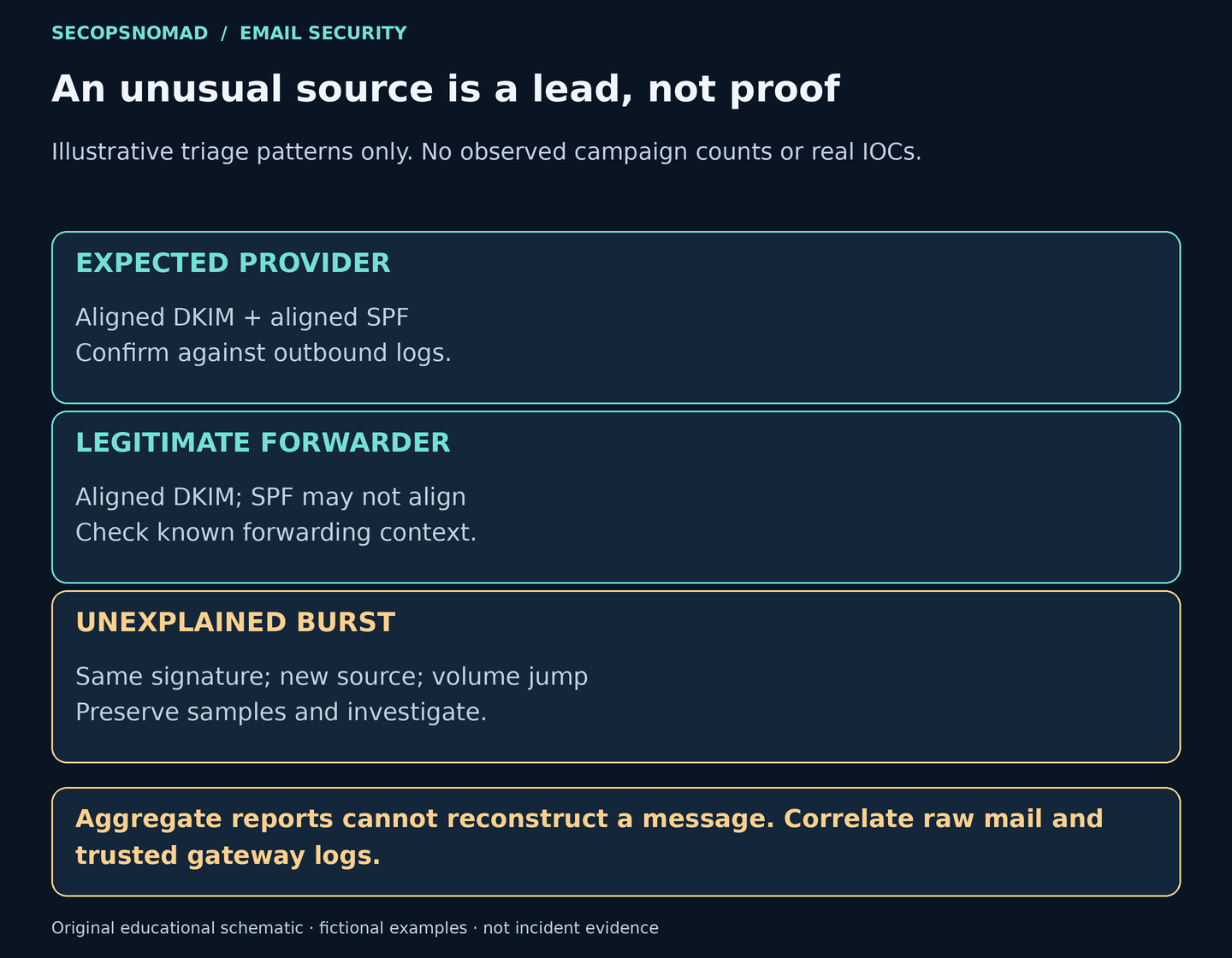
Figure 5. Establish the expected forwarding context before classifying an unusual source. View full size.
Aggregate reports are delayed summaries, not original messages. Preserve the raw sample and trusted logs needed to establish what changed. This article publishes no independently verified IOC for the reported case.
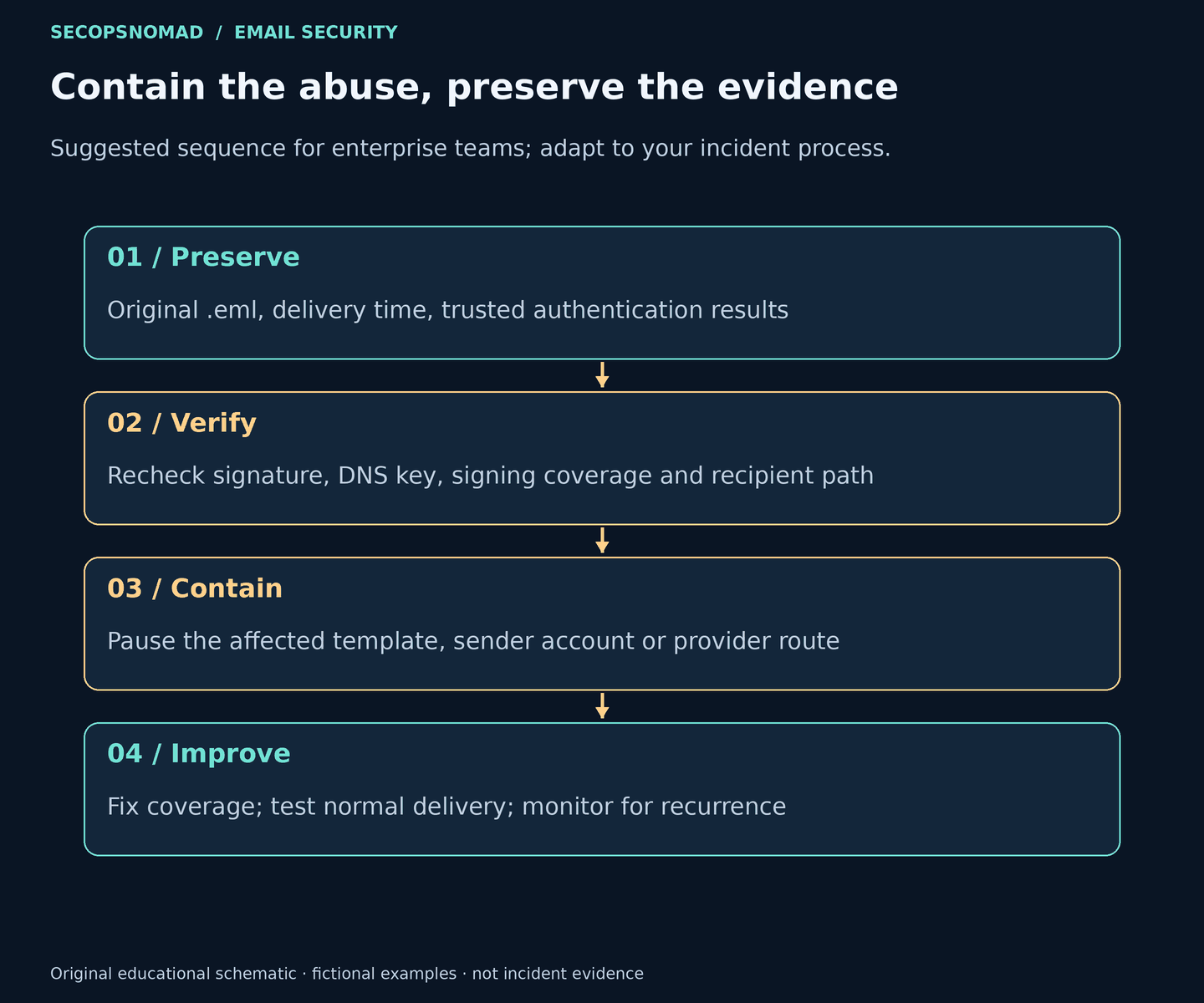
Figure 6. Preserve, explain, contain and verify. View full size.
The investigation should establish the signing route, the fields it protected, and the feature or delivery path that allowed the signed copy to be abused. Those findings determine the fix.
Sources and review notes
- Proofpoint — DKIM replay attacks, credited in the provided excerpt to Yukimi Sohta, 18 October 2026.
- DOCOMO — official-account notice.
- RFC 6376 publication record and DKIM specification, particularly signing coverage and replay considerations.
- RFC 7960 — DMARC and indirect email flows; RFC 7489 — original DMARC specification; RFC 8601 — Authentication-Results.
- Proofpoint Help, for your tenant’s navigation, fields and permissions.
Review limit: the incident account is attributed to the provided Proofpoint excerpt. The linked Proofpoint and DOCOMO live content could not be retrieved during review, and complete attack samples were unavailable. RFC text was checked through a public mirror. Console procedures were not executed in a customer tenant. The example messages and original diagrams are illustrative, not forensic evidence; no source-article artwork or product screenshot has been copied.
Updates: 19 October 2026 — first published; rewritten the same day around the reported sequence, with a worked example, a shorter operator guide and removal of the cover caption.