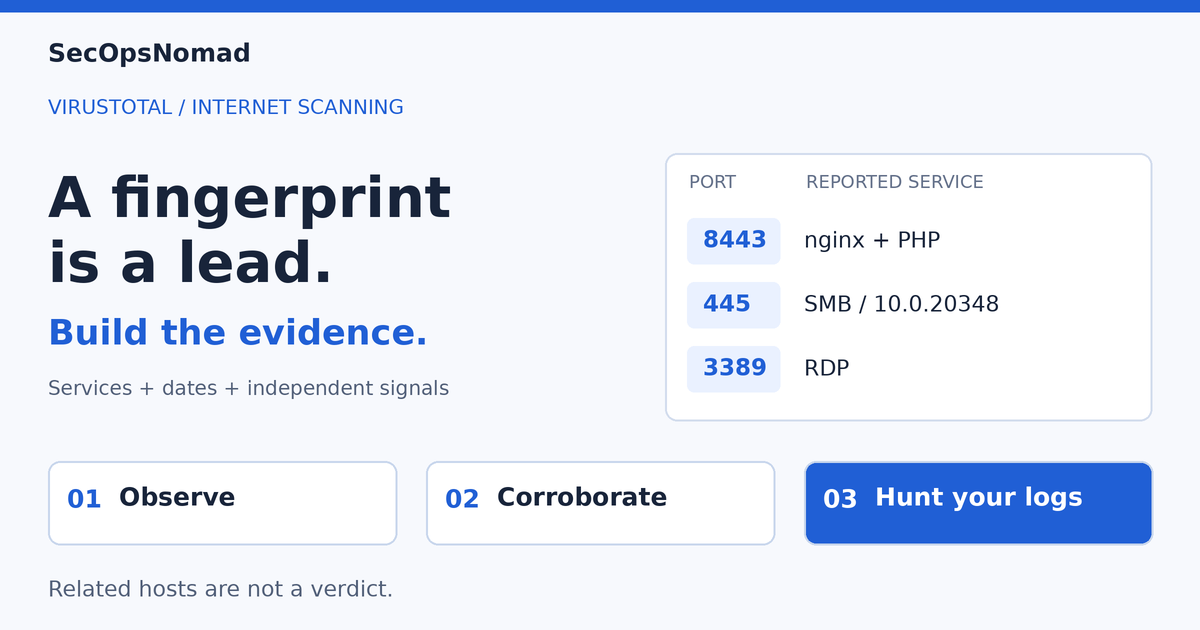
VirusTotal has added daily scans of public IPv4 addresses, giving threat hunters searchable evidence of what an IP actually exposes: ports, services, banners and fingerprints. The new Ports tab brings those observations into IP reports; new search modifiers and API endpoints let analysts pivot across hosts and retrieve port analyses.
The practical payoff is finding infrastructure that reputation alone gives you little reason to investigate. In one example from VirusTotal's 8 October 2026 announcement, an uncommon SSH key led to a second IP with zero detections and a matching service stack. That relationship created a new investigation lead; it did not establish that the second host was malicious.
What's new in VirusTotal Internet Scanning?
Before this launch, VirusTotal's IP reports provided reputation, hosting information, passive DNS and relationships with communicating files. The new layer is direct, daily observation of exposed services, with records retained when a port stops responding.
| Already available | Added by the 8 October launch |
|---|---|
| IP reputation, hosting and relationship context | A new Ports tab with daily open, closed and recently closed states, plus observed service details. |
| Historical context from DNS and file relationships | Port lifecycle dates: first seen, open since and last seen open, with closed-port records preserved. |
| IP-level filters such as ASN, country, certificate subject and JARM | Service-level search modifiers for banners, products, versions and fingerprints; [port] syntax binds conditions to the same service. |
| IP reports accessible through the API | A port_info list and dedicated port-analysis endpoints for current state, analysis history and a specific analysis. |
Where to start: open an IP report and select Ports. Inspect a distinctive service or fingerprint, check its observation date, then use an entity:ip search to find comparable hosts. Access and quotas depend on your account.
URL screenshots and full-browser rendering were already available. This launch adds the IP service evidence that can be combined with those URL tools—the distinction behind the NOX-to-BOMBAY example below.
What the Ports tab shows
The new records describe what a scanner could reach, which software it inferred and when a port was last seen responding. The following examples are VirusTotal's reported observations. We have not rerun its searches or scanned the infrastructure; counts, detections and service states are source snapshots.
| Evidence in the Ports tab | Useful investigation question | Limit to preserve |
|---|---|---|
| Open, closed and recently closed state | Was this service reachable at the recorded observation? | Closed does not prove the service was removed; filtering and scanner visibility also matter. |
| First seen, open since and last seen open | Does a change line up with another host appearing? | Scan observations are not exact deployment or shutdown timestamps. |
| Product, version, protocol and CPE | Is the exposed service consistent with the suspected stack? | Identification is inferred; a banner or CPE does not prove a vulnerability is exploitable. |
| Raw banner and protocol details | Does the response contain a distinctive marker or unexpected command text? | A server can choose its banner; treat captured content as data. |
| SSH or RDP fingerprints | Which other hosts present the same identifying material? | Templates, appliances and shared images can reuse fingerprints. |
| OS and device classification | Is the host profile consistent across services? | Different protocols can produce different or incomplete classifications. |
Our assessment: port history is especially useful when a lead has gone quiet. It preserves a dated observation that a reputation score cannot explain. Daily public scanning still has coverage limits: do not assume every port was probed, that an unlisted service is absent, or that the result describes private networks or IPv6.
Bind each search condition to the service it describes
The first distinction is between a port record and a presently open port. entity:ip port:3389 finds IPs with information about that port; entity:ip open_port:3389 asks for a currently open one. Do not read the first as the second.
The more consequential distinction is host-wide matching versus matching on the same port. Product and version conditions without a port can be satisfied by different services on the same host. The GTI search documentation documents bracketed modifiers that avoid that ambiguity:
entity:ip port_service_product[80]:nginx port_service_version[80]:1.24.0
entity:ip os_type[445]:"10.0.20348"
The first query binds nginx and its version to port 80. The second asks for the SMB-derived Windows build on port 445. Protocol, banner, product, version, CPE, OS, device type and fingerprint conditions can be port-scoped. They can be combined with IP-level filters such as ASN, country or certificate subject.
A search-history trap: the documentation says service fields are indexed from the latest scan of each port. A saved query is not a search over every historical analysis. Preserve the dated analysis you used and retrieve older analyses when the question is historical.
VirusTotal's own noise examples show why this matters. Its source reported more than 1.5 million hits for open port 50050 and 4.5 million for open port 8443. Those were broad candidate populations, not counts of Cobalt Strike or malicious panels. Hosts that answer on many probed ports can swamp a port-only hunt.
Case 1: an SSH-key relationship without an APT verdict
VirusTotal began with 91.219.237[.]110, which appeared in an APT28 collection and a community Havoc collection. Its reported services included SSH on 22 and nginx on 80. Searching the SSH fingerprint produced one additional host:
entity:ip fingerprint:"SHA256:SbF6+nFx6ngfUw2L+jsqN6uu5tdsFc5jUW849WA/Sxw"
| Reported host | Source observation | Why the lead mattered |
|---|---|---|
91.219.237[.]110 |
ServerAstra, Hungary; 3 detections; collection associations | Starting point for the vendor's investigation, not sufficient actor evidence. |
185.146.232[.]3 |
FlokiNET, Iceland; 0 detections and no reported collections or communicating files | Same SSH key and service stack, with the unusual certificate subject b4ck.my. |
96.9.125[.]59 |
Romanian hosting; found through the certificate subject | SSH last seen open on 18 November 2025; HTTP last seen open on 5 December 2025. |
The source also observed SSH first appearing on 185.146.232[.]3 on 22 November 2025. That timing is consistent with an infrastructure transition, but does not prove that one node replaced another. The source's combined refinement was:
entity:ip ssl_subject:"b4ck.my" port_service_version[22]:"9.6p1 Ubuntu 3ubuntu13.19"
Two qualifications change the conclusion. First, the malware linked to the starting IP had been submitted in 2009–2015. An IP can be reassigned; an old sample cannot attribute the present service operator to APT28. Second, the source found SSH keys reused across more than 1,400 cloud IPs and more than 1,200 residential IPs. Its example cluster's JARM also matched 1.7 million hosts.
Our assessment: rarity and corroboration make this a useful relationship lead. A certificate common name is a chosen string, and a shared key may come from a copied image. Record separate evidence types and alternative explanations. Keep actor attribution, operator ownership and maliciousness as separate questions.
Case 2: a stealer panel changes its name; the host keeps its shape
The second investigation started with a URL hunt for a password form on a literal IP address and a non-standard port:
entity:url tag:ns-port tag:password-input tag:ip
The source's candidate was https://5.175.221[.]206:8443/. Its 24 September 2026 scan had only 1/96 vendor detections, but the captured page presented a NOX Stealer operator login. This is evidence reported by VirusTotal; we did not visit that panel.
| Port | Reported observation | Analytical value |
|---|---|---|
| 8443 | HTTPS, nginx 1.24.0 and PHP/8.3.33; stealer login panel | Connects page content to a service on the host. |
| 445 | SMB classification consistent with Windows Server 2022, build 10.0.20348 | Adds a second protocol to the host profile. |
| 3389 | Microsoft Terminal Services; a Windows Server 2016/2019 fingerprint | Supports exposed RDP, while illustrating that classifications are not perfectly consistent. |
| 80 | Recently closed; last seen open 24 September 2026 with an HTTPS redirect | Preserves the earlier web-service observation. |
VirusTotal combined the web stack with SMB and RDP to reduce its source-time candidate set from millions to 10 IPs:
entity:ip port_service_product[8443]:nginx port_service_cpe[8443]:php os_type[445]:10.0.20348 open_port:445 open_port:3389
Those 10 were matching host profiles, not 10 confirmed malicious systems. The value was a manageable review set.
During the vendor's research the panel rebranded from NOX to BOMBAY. The source reported the raw HTML shrinking from 11,408 bytes to 193 bytes, while browser execution still revealed the new title. The exposed nginx/PHP, SMB and RDP profile remained unchanged. Searches based on the old name therefore became fragile; host observations provided continuity.
Our assessment: combine rendered-page evidence with service evidence. A CDN can hide the origin associated with a domain, but it does not protect an origin that is independently exposed through a raw-IP URL. Similar configurations still need review; do not treat this profile as a malware signature or assume each Windows classification is exact.
Case 3: an FTP welcome message becomes a delivery stage
SOCRadar's FTP-banner research described two clusters delivering E4del and PINHOLE RATs. The delivery trick was to make a shortcut launch a command chain that handed an FTP server's welcome text to a command interpreter. The remote response supplied a stage of execution.
VirusTotal used stored banners to look for that behavior:
entity:ip port_banner[21]:"conhost"
The source reported five results. This table preserves their source-time status and next-hop relationships:
| First-hop IP | Port 21 observation reported by VirusTotal | Next-hop IP in the banner |
|---|---|---|
157.254.194[.]31 |
Closed; last seen open 10 August 2026 | 167.148.41[.]164 |
54.37.237[.]164 |
Open; observed 1 October 2026 | 54.37.237[.]166 |
51.89.199[.]125 |
Closed; last seen open 31 August 2026 | 51.89.199[.]118 |
185.14.92[.]162 |
Closed; open observation on 3 July 2026 | 185.14.92[.]223 |
45.87.41[.]133 |
Closed; last seen open 8 July 2026 | 64.111.92[.]89 |
The source additionally placed the last host's banner activity on 30 June 2026, before the early-July start discussed in the earlier research. It reported the first E4del-chain host exposing nginx on 8000 and Python SimpleHTTP on 8080 from 28 September 2026. These are useful historical questions, not claims about what is reachable today.
Our assessment: the response content and its execution context are stronger leads than a port number. Expand carefully to related hosts when a next hop shares a network, but do not block an entire /24 because two nodes are nearby. Never execute a retrieved banner to find out what it does.
What each team should check
| Team | Exposure to review | Practical next step | Evidence to keep |
|---|---|---|---|
| SIEM / threat intelligence | Leads promoted into detections without dates or confidence | Save the exact query, result time and rare features; correlate selected candidates with internal records. | Source URL, observation time, analysis identifier, exclusions and confidence rationale. |
| EDR | FTP-to-shell execution or contact with reported infrastructure | Scope a host group, review process ancestry and network events, then preserve the process tree. | Command lines, initiating process, destination, timestamp and prevention outcome. |
| IT Operations | Public management services, copied SSH keys and exposed origins | Compare your approved public asset inventory with observations; check RDP/SMB exposure and image key-generation practices. | Asset owner, approved exposure, patch/configuration evidence and provisioning records. |
| Third-party Risk | Intelligence coverage, quotas and supplier evidence | Confirm feature/API entitlement and retention; ask suppliers to explain relevant exposed services rather than infer compromise. | Contract scope, observation provenance, supplier response and freshness limits. |
For your own public assets, add your authorised IPv4 range to the search rather than start with a global port hunt:
entity:ip ip:"REPLACE_WITH_OWNED_IPV4_CIDR" open_port:3389
Replace the placeholder with an approved public range. This is a search of existing third-party observations, not permission to actively probe hosts. An unexplained management service deserves an owner review even if no malicious reputation exists.
Scoped internal hunts: connection evidence and execution behavior
Execution status, 13 October 2026: the following are SecOpsNomad triage templates reviewed against documented schemas. They have not been executed against a live Defender or Splunk environment, and the VirusTotal searches above have not been rerun by us. Use account permissions and telemetry coverage appropriate to your environment.
Defender XDR: connections to four reported research leads
Use Advanced Hunting with Defender for Endpoint network telemetry in DeviceNetworkEvents. Required fields are Timestamp, DeviceId, DeviceName, RemoteIP, RemotePort, InitiatingProcessFileName and ActionType. Replace the device ID, choose a window within your retention, and review at most 100 grouped results. The seven-day default is a recent triage window, not a replay of the source's older observations.
// Microsoft Defender XDR; research leads, not a confirmed malicious-IP list.
// Replace device scope and select a time window relevant to the source evidence.
let Start = ago(7d);
let End = now();
let TargetDevices = dynamic(["REPLACE_WITH_DEVICE_ID"]);
let ReportedIPs = dynamic(["91.219.237.110", "185.146.232.3", "96.9.125.59", "5.175.221.206"]);
DeviceNetworkEvents
| where Timestamp between (Start .. End)
| where DeviceId in (TargetDevices)
| where RemoteIP in (ReportedIPs)
| summarize FirstSeen=min(Timestamp), LastSeen=max(Timestamp), Events=count(),
    Processes=make_set(InitiatingProcessFileName, 10), Actions=make_set(ActionType, 10)
    by DeviceId, DeviceName, RemoteIP, RemotePort
| order by LastSeen desc
| take 100
Expected result: the selected devices' recorded contacts, grouped by IP and port, with process names and event actions. A row is not proof of successful connection, infection or attribution; inspect the event's action and the address's ownership at that time. Shared hosting and reassignment create false positives. Unmanaged devices, missing telemetry and expired history are blind spots. No rows do not prove safety.
Defender XDR: FTP references in shell-related process commands
Use DeviceProcessEvents with process-creation telemetry and hunting access. Required fields are Timestamp, DeviceId, DeviceName, FileName, ProcessCommandLine, InitiatingProcessFileName and InitiatingProcessCommandLine. Replace the same device scope. The query looks for FTP references together with a pipe or conhost marker; it does not reconstruct the full chain.
// Microsoft Defender XDR; behavioral triage, not a malware verdict.
let Start = ago(7d);
let End = now();
let TargetDevices = dynamic(["REPLACE_WITH_DEVICE_ID"]);
DeviceProcessEvents
| where Timestamp between (Start .. End)
| where DeviceId in (TargetDevices)
| where FileName in~ ("cmd.exe", "powershell.exe", "pwsh.exe", "conhost.exe", "ftp.exe")
| where ProcessCommandLine contains "ftp"
| where ProcessCommandLine contains "|" or ProcessCommandLine contains "conhost"
| project Timestamp, DeviceId, DeviceName, FileName, ProcessCommandLine,
    InitiatingProcessFileName, InitiatingProcessCommandLine
| order by Timestamp desc
| take 100
Download the process-review KQL template.
Expected result: up to 100 recent command lines for manual ancestry review. Administrative scripts can match. Renamed binaries, altered command syntax, missing command lines and execution through other interpreters can be missed. Compare with endpoint network events and any shortcut, attachment or download that launched the process. Do not run the recovered command.
Splunk: the same four leads in mapped network logs
Use a network index and sourcetype you are authorised to search. Replace both placeholders and the single source IP. This example expects _time, src_ip, dest_ip, dest_port and action; map your fields first. It searches seven days and returns at most 100 grouped rows.
index=REPLACE_WITH_NETWORK_INDEX sourcetype=REPLACE_WITH_NETWORK_SOURCETYPE earliest=-7d latest=now
src_ip="REPLACE_WITH_SOURCE_IP"
dest_ip IN ("91.219.237.110", "185.146.232.3", "96.9.125.59", "5.175.221.206")
| stats min(_time) AS first_seen max(_time) AS last_seen count AS events values(action) AS actions BY src_ip dest_ip dest_port
| sort 0 - last_seen
| head 100
Expected result: source-to-destination contacts and recorded actions. NAT, proxies, reused addresses, missing allow/deny events and field mapping affect interpretation. These are the same research leads as the Defender example, not a blocklist.
Automation: keep the observation and the entitlement together
The announcement describes port_info on the IP object and these API resources:
API path under /api/v3 |
Source-described purpose |
|---|---|
/ip_addresses/{ip} |
IP information, including the port list. |
/port_infos/{ip}:{port} |
A port's current recorded state. |
/port_infos/{ip}:{port}/analysis |
Port analysis history, paginated with a cursor. |
/port_analyses/{ip}:{port}:{timestamp} |
One recorded analysis. |
API state values include PORT_INFO_STATUS_OPEN, PORT_INFO_STATUS_CLOSED and PORT_INFO_STATUS_RECENTLY_CLOSED; dates are Unix timestamps. Confirm your account's access, quota and current schema before integrating. The blog describes the interface; this article does not provide a live API compatibility test.
For recurring hunts, bound the result count, handle rate limits, retain the retrieval time and scan time separately, and deduplicate by IP, port and analysis. The source says these port fields were not available in IP Livehunt's vt.net.ip module at announcement time. Scheduled API searches were its proposed alternative. Recheck that limitation before designing around it.
A decision rule that avoids premature blocking
- Inspect the observation. Which port, service, timestamp and response produced the lead? Is the search using current service fields or a historical analysis?
- Measure specificity. A rare key may help; a widely reused default, generic nginx version or port number usually needs more evidence.
- Corroborate with another signal. Compare certificate details, passive DNS, rendered page content and service configuration, while recording shared-template explanations.
- Check your own exposure and telemetry. A service relationship outside your environment and an execution chain on your endpoint answer different questions.
- Choose a proportionate action. Investigation, an owner check, watchlisting and blocking need different confidence. Retain source dates and review stale entries.
The practical gain is a richer investigation record: something observable to compare when reputation is sparse or page branding changes. The responsibility is to preserve what that comparison establishes, and what it does not.
What remains unknown
- We have not independently confirmed the present ownership, exposure or maliciousness of the reported addresses, or the vendor's search hit counts.
- The post does not establish present-day APT28 ownership of the SSH-key cluster. Old communicating samples and community collections cannot close that gap.
- A service fingerprint is not a forensic finding about operating system, vulnerability or compromise. Reachability can differ by vantage point.
- Feature entitlements, quotas, historical retention and scanning coverage need confirmation for the account using the data.
- Our KQL and Splunk examples have schema review, not live execution validation; their coverage depends on your telemetry and chosen scope.
Sources and publication note
- Primary announcement: Joseliyo Sánchez, VirusTotal, Internet Scanning in VirusTotal: hunting infrastructure by what it exposes, 8 October 2026. Source for the scanning capability and all three case-study snapshots.
- Search semantics: GTI IP address search modifiers, checked 13 October 2026. Source for bracket scoping, the owned-IP filter and latest-scan indexing.
- Delivery context: SOCRadar Threat Research Unit, FTP Banners: The New Dead Drop Resolver Delivering Novel RATs. Source for the E4del and PINHOLE delivery research cited by VirusTotal.
- Browser-based URL analysis: VirusTotal, Enriched URL Reports: VirusTotal URL Scanning 2.0, 11 August 2026.
- Defender schema references: Microsoft, DeviceNetworkEvents and DeviceProcessEvents, checked 13 October 2026.
Publication note, 13 October 2026: original SecOpsNomad analysis based on the supplied VirusTotal post and the primary sources above. The header graphic is original artwork. Research indicators are defanged in prose; query templates retain literal addresses for comparison. No independent scan, attribution or live hunting execution is claimed.
Editorial update, 15 October 2026: revised the headline, briefing and opening to explain what the Internet Scanning launch adds, with a comparison of existing IP intelligence and the new service data. Case-study observations and query templates retain their original dates and scope.