
Use the effect to choose the response
An AI harness can compress familiar intrusion work: discover an API, test identities, change data, run a tool and verify the result. Defend the permissions and execution boundaries that make those actions possible. Investigate an ARTEX assessment separately from the unauthorised activity you can demonstrate.
This original playbook has 36 decision gates across nine workstreams, ten diagrams, a monitoring plan and four copyable templates. It is a reusable operating guide, not a new incident report or an official vendor playbook. It complements the AI harness hunting framework and ARTEX attack-pattern analysis.
Run containment, evidence preservation and communication in parallel when harm is credible. The numbered workstreams are not a queue that must finish before containment. Defend and monitor also continue outside an incident. Use your organisation's authorised control owners; this page does not deploy alerts or operate anyone's tenant.
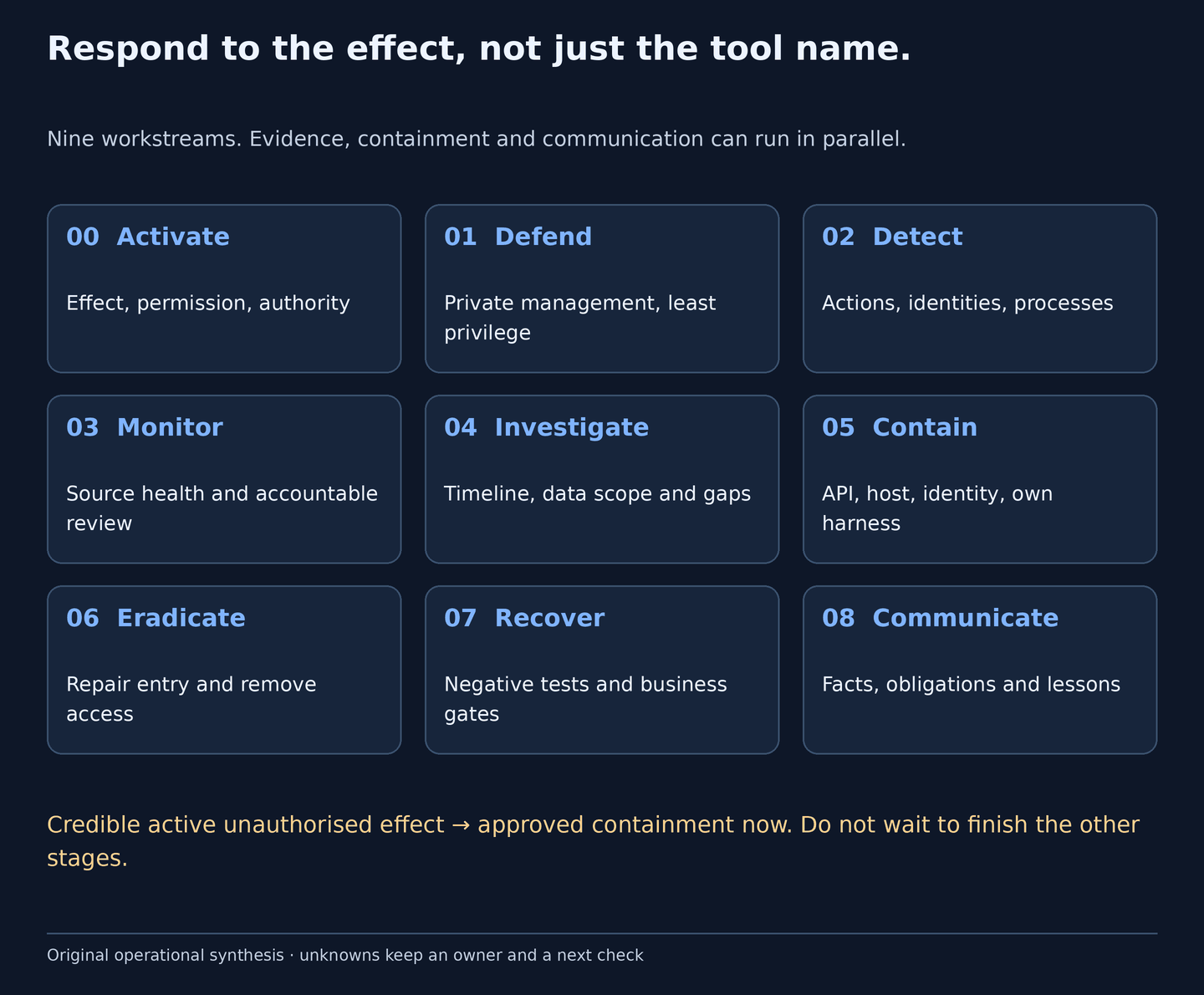
Original operating map. The decision tables reproduce every branch as text. An unknown answer stays open with an owner and a next check.
First hour: establish control, not attribution
These are illustrative coordination checkpoints, not a promise of recovery within an hour. If credible harmful activity is active, apply approved containment immediately.
| Checkpoint | Action and required output |
|---|---|
| First 5 minutes | Open the case, name the incident lead, preserve the original alert and identify the affected application, principal or device. |
| First 15 minutes | Confirm testing permission through a trusted contact; choose victim-system, owned-harness or both branches. Start the relevant containment and preservation tasks. |
| First 30 minutes | Review actual API effects, identity changes and server execution. Record trustworthy identifiers, retention limits and any continuing unauthorised activity. |
| By the first hour | Verify control results at the resource, adopt the monitoring plan, report facts and gaps, and assign the next decisions. Do not close because a password changed or requests became quiet. |
| Evidence state | Decision |
|---|---|
| Tool title, marker, timing or shared callback-service match | Investigate ownership, permission and baseline. It is not an AI classifier or an automatic host-isolation trigger. |
| Linked suspicious sequence with uncertain authorisation | Correlate principal, resource and process evidence; obtain the service owner's permission decision and assess proportionate containment. |
| Credible active unauthorised access, change or execution | Use approved containment now, verify the result and scope remaining access in parallel. |
Owners, evidence and decision rules
SOC/SIEM owns triage, source health and timelines; AppSec/API/SRE owns application boundaries and safe availability; IAM owns human and workload identities; EDR/DFIR owns host evidence and containment; the harness/platform owner owns management access, workers and model-provider credentials; the business owner validates data and workflows; Legal / Privacy assesses notification; the incident lead resolves priority, risk and recovery authority.
Answer each relevant gate yes, no, unknown or not applicable. A no needs supporting scope and evidence. Unknown is an open task; not applicable needs a reason and reviewer. Keep event time, ingestion time, exact resource/principal/device identifiers, authorisation outcome, evidence references, the action and its result, owner and next review UTC. Never use raw bearer tokens as correlation identifiers.
Download the 36-gate decision register. The blank working columns are for a private case workspace. Treat spreadsheet text as untrusted input and do not upload completed records or incident secrets to this public site.
0. Activate: establish impact and authority
Choose a response branch from the observed effect. A lead does not become an incident merely because a tool looks like ARTEX. Credible unauthorised access, a changed business record or malicious execution can justify containment before attribution is settled.
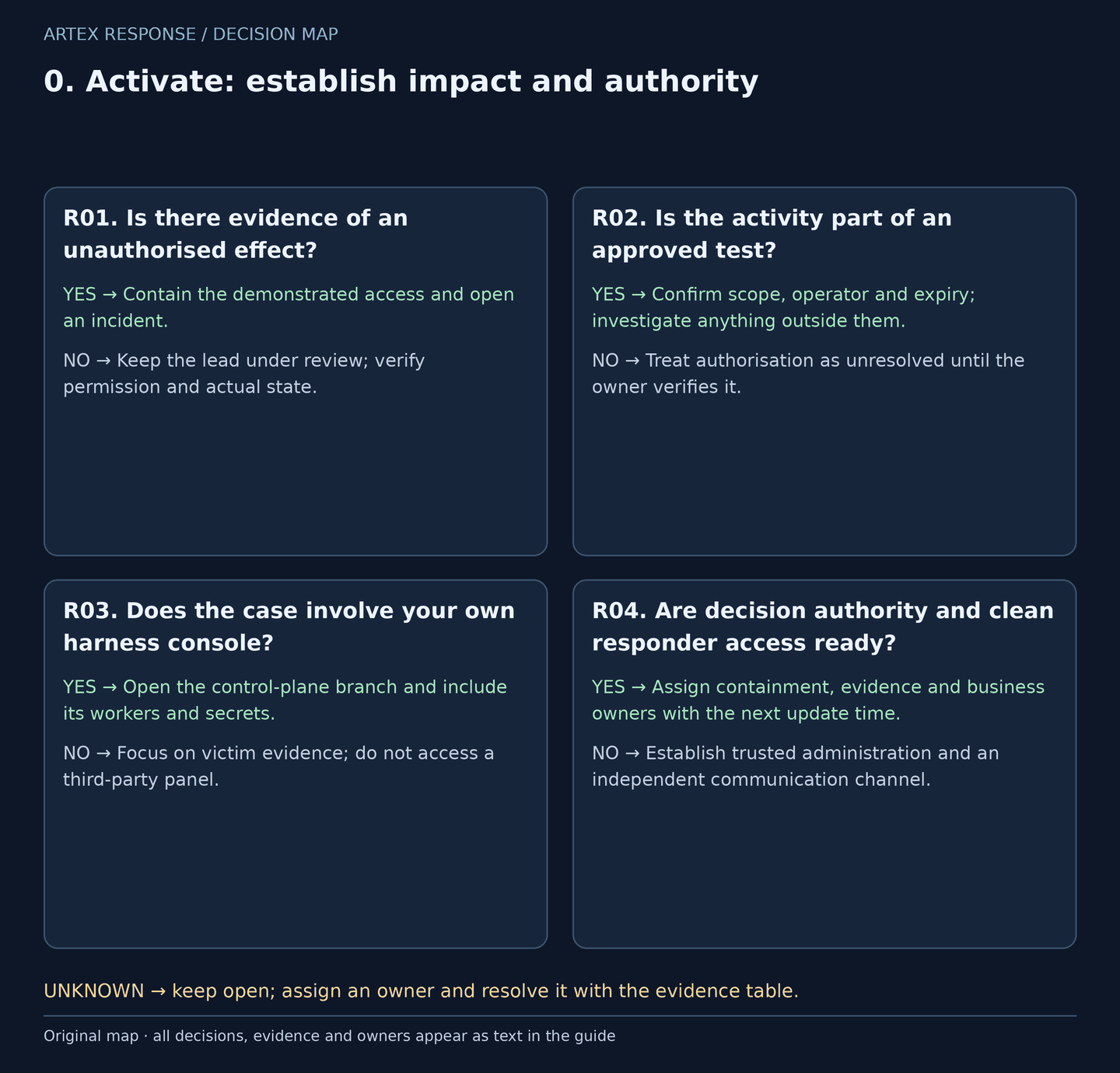
Original decision map. Check every applicable gate; the evidence column resolves unknowns.
| Decision | Yes | No | Evidence / resolve unknowns | Lead owner |
|---|---|---|---|---|
| R01. Is there evidence of an unauthorised effect? | Contain the demonstrated access and open an incident. | Keep the lead under review; verify permission and actual state. | Original event, resource outcome, approved-test window and independent owner confirmation. | Incident lead + SOC |
| R02. Is the activity part of an approved test? | Confirm scope, operator and expiry; investigate anything outside them. | Treat authorisation as unresolved until the owner verifies it. | Written scope, change record, named tester and trusted contact. | SOC + test owner |
| R03. Does the case involve your own harness console? | Open the control-plane branch and include its workers and secrets. | Focus on victim evidence; do not access a third-party panel. | Owned host, deployment record, proxy audit and worker inventory. | Platform owner + DFIR |
| R04. Are decision authority and clean responder access ready? | Assign containment, evidence and business owners with the next update time. | Establish trusted administration and an independent communication channel. | Case ID, approved roles, contact list and service dependencies. | Incident lead |
How to do it: step by step
- Open one restricted case. Record UTC timestamps, the reporter, tenant, application, exact resource, device identifiers and the observed result. Keep hypotheses in a separate field.
- Check exercise approval through a known contact. A user agent saying “authorised”, a signed-in account or a red-team tool name is not permission.
- Choose victim-system, owned-harness or both branches. A hostile server displaying an ARTEX title is evidence to preserve from available logs or cached observations; it is not permission to log into it.
- Name a responder authorised to change each affected boundary. Use a clean workstation and a trusted communication route, and protect emergency-access and critical-service dependencies.
- Page the incident lead for active credible compromise or material uncertainty about privileged access. Do not delay urgent, approved containment while collecting a complete forensic image.
Check it worked: The case has a documented effect, an authorisation decision or open gap, a response branch and accountable owners.
1. Defend: close the boundaries the harness can exploit
Use this workstream before an incident and alongside response. Protect business APIs and any testing infrastructure you operate. A reverse proxy or login screen must protect the management routes as well as the visible page.
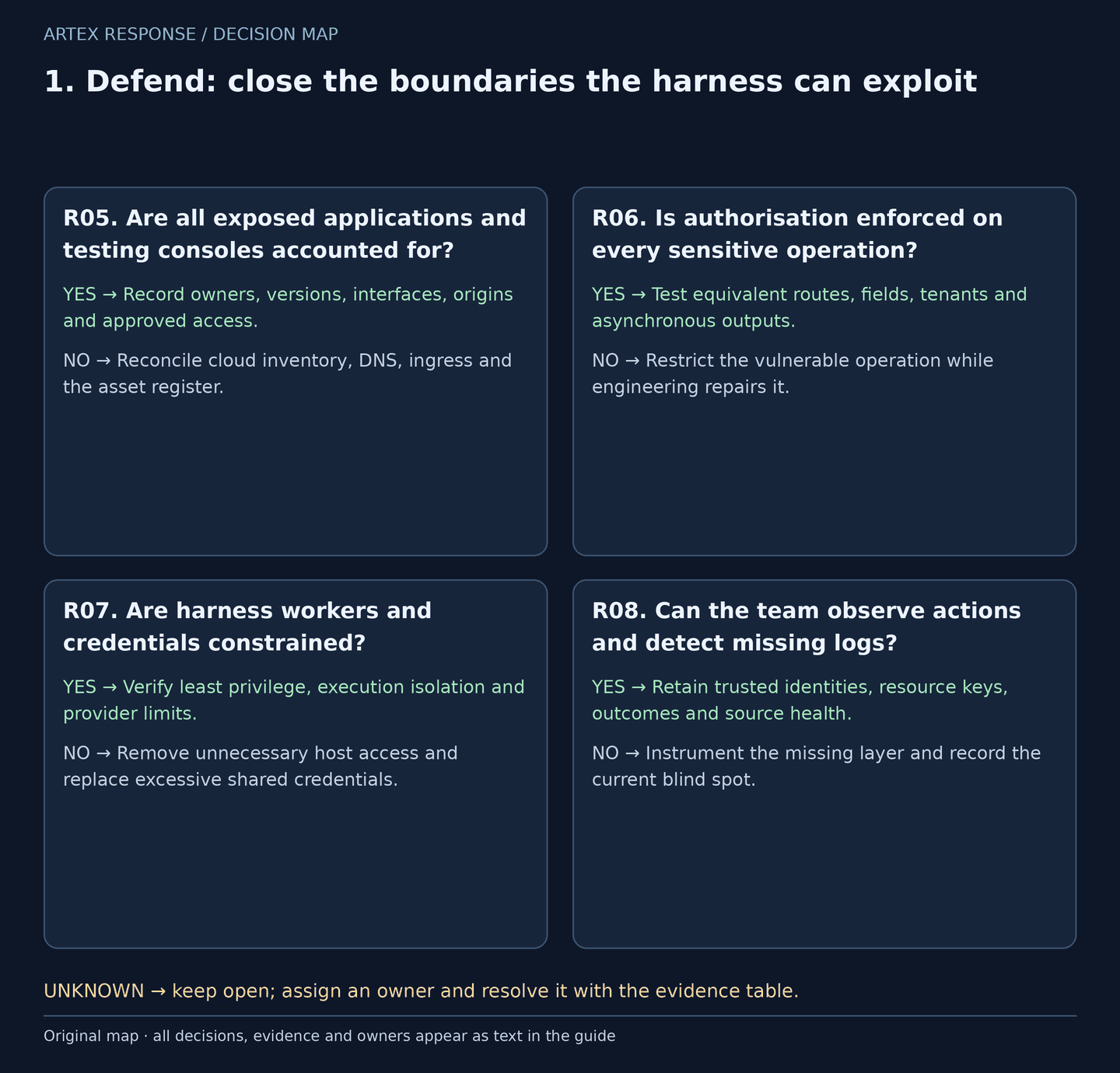
Original decision map. Check every applicable gate; the evidence column resolves unknowns.
| Decision | Yes | No | Evidence / resolve unknowns | Lead owner |
|---|---|---|---|---|
| R05. Are all exposed applications and testing consoles accounted for? | Record owners, versions, interfaces, origins and approved access. | Reconcile cloud inventory, DNS, ingress and the asset register. | Authoritative inventory, deployed configuration and owned-asset exposure observations. | IT Operations + platform owner |
| R06. Is authorisation enforced on every sensitive operation? | Test equivalent routes, fields, tenants and asynchronous outputs. | Restrict the vulnerable operation while engineering repairs it. | Server-side policy, controlled negative tests and business ownership. | AppSec + API owner |
| R07. Are harness workers and credentials constrained? | Verify least privilege, execution isolation and provider limits. | Remove unnecessary host access and replace excessive shared credentials. | Worker privileges, Docker/socket access, secret scope and session storage. | Platform owner + IAM |
| R08. Can the team observe actions and detect missing logs? | Retain trusted identities, resource keys, outcomes and source health. | Instrument the missing layer and record the current blind spot. | Proxy/app audit, identity logs, sensor inventory and a benign control event. | SOC + SRE |
How to do it: step by step
- Inventory your production, development, partner and direct-origin routes. For owned consoles, record the deployed version, bind address, authenticating proxy, allowed operators and workers. Cached public-index searches must stay within authorised assets.
- Put management interfaces behind private access or a VPN and an authenticating gateway. Check every API and WebSocket route, not only the sign-in page. Change initial credentials and verify revocation and idle-session controls for the actual product.
- Enforce server-side object, function, field and tenant authorisation. Restrict unnecessary public registration and bulk operations. Rate limits can slow abuse while a boundary is repaired; they do not make unauthorised access acceptable.
- Isolate workers from production secrets and unrelated workloads. Review host mounts, the Docker socket, cloud metadata access and stored browser sessions. Scope model/cloud credentials and set spending or usage alerts where the provider supports them.
- Log trusted principal and resource identifiers, authorisation outcomes and request/process correlation. Retain a source-health signal. Avoid unrestricted payload or token logging; separately protect any necessary raw samples.
Check it worked: A controlled unauthorised operation is denied at the responsible service, and a known benign event reaches the investigation system.
2. Detect: connect leads to actual effects
ARTEX commonly combines ordinary clients, scripts and identities. Prefer the result of an operation over the spelling of a tool or the apparent speed of a request stream. The hunt catalogue below provides starting points, not automatic verdicts.
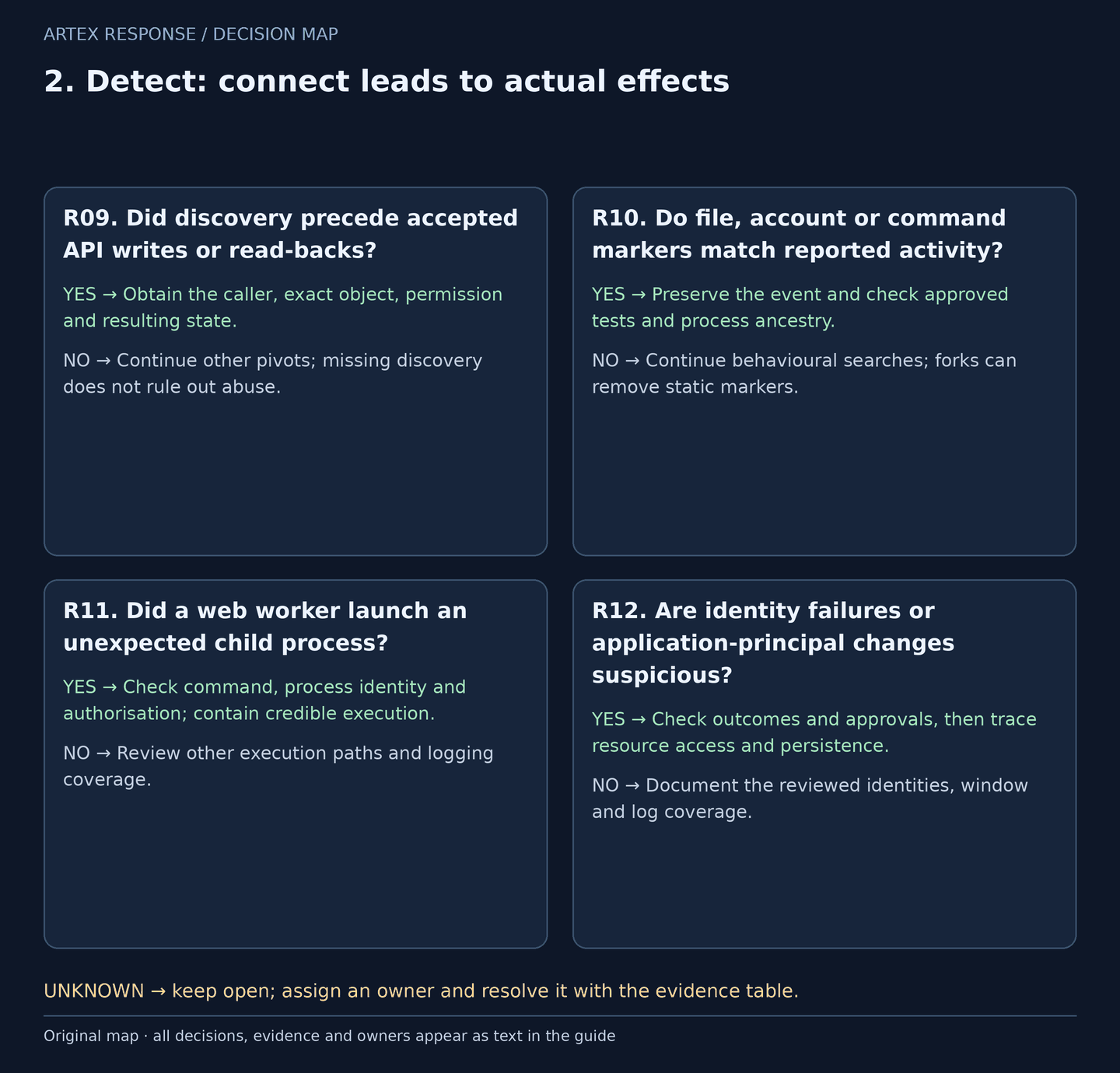
Original decision map. Check every applicable gate; the evidence column resolves unknowns.
| Decision | Yes | No | Evidence / resolve unknowns | Lead owner |
|---|---|---|---|---|
| R09. Did discovery precede accepted API writes or read-backs? | Obtain the caller, exact object, permission and resulting state. | Continue other pivots; missing discovery does not rule out abuse. | S1/C1/C5, trusted request IDs and application audit. | SOC + API owner |
| R10. Do file, account or command markers match reported activity? | Preserve the event and check approved tests and process ancestry. | Continue behavioural searches; forks can remove static markers. | S2/C3, original event and authorised exercise records. | SOC + EDR |
| R11. Did a web worker launch an unexpected child process? | Check command, process identity and authorisation; contain credible execution. | Review other execution paths and logging coverage. | C2, parent/child lineage, host ownership and maintenance history. | EDR + application owner |
| R12. Are identity failures or application-principal changes suspicious? | Check outcomes and approvals, then trace resource access and persistence. | Document the reviewed identities, window and log coverage. | S3/S4, sign-in and directory audit, principal object IDs. | IAM + SOC |
How to do it: step by step
- Start from a triaged application, device or principal. Record the data contract before searching: Sentinel workspace/tables, Falcon product, parser, scope, time window, retention and read permission.
- For API activity, preserve discovery, accepted writes, exact-resource read-backs and intervening errors. A shared IP is not one authenticated session; a query-selected object needs a canonical key beyond the URL path.
- For endpoint activity, pivot from the server to process ancestry, command line, created files and outbound connections. A generic Python or curl process is not proof of an AI agent.
- Separate password failures, successful sign-ins, directory changes and actual data-plane use. A failed spray still matters; a success from a shared address does not prove that the spray succeeded.
- Use timing and static markers to rank work. Confirm permission and state with an independent owner and audit source before calling the effect malicious or attributing it to ARTEX.
Check it worked: Each escalated lead has its observed effect, correlated identifiers, approval check and next evidence request.
3. Monitor: run an evidence-led watch
A monitor must say who reviews it, what the data can show and what action is authorised. Cadence is context; it is not a stand-alone isolation trigger. The review intervals in the monitoring plan are starter operating cadences to ratify locally, not tested detection SLAs.
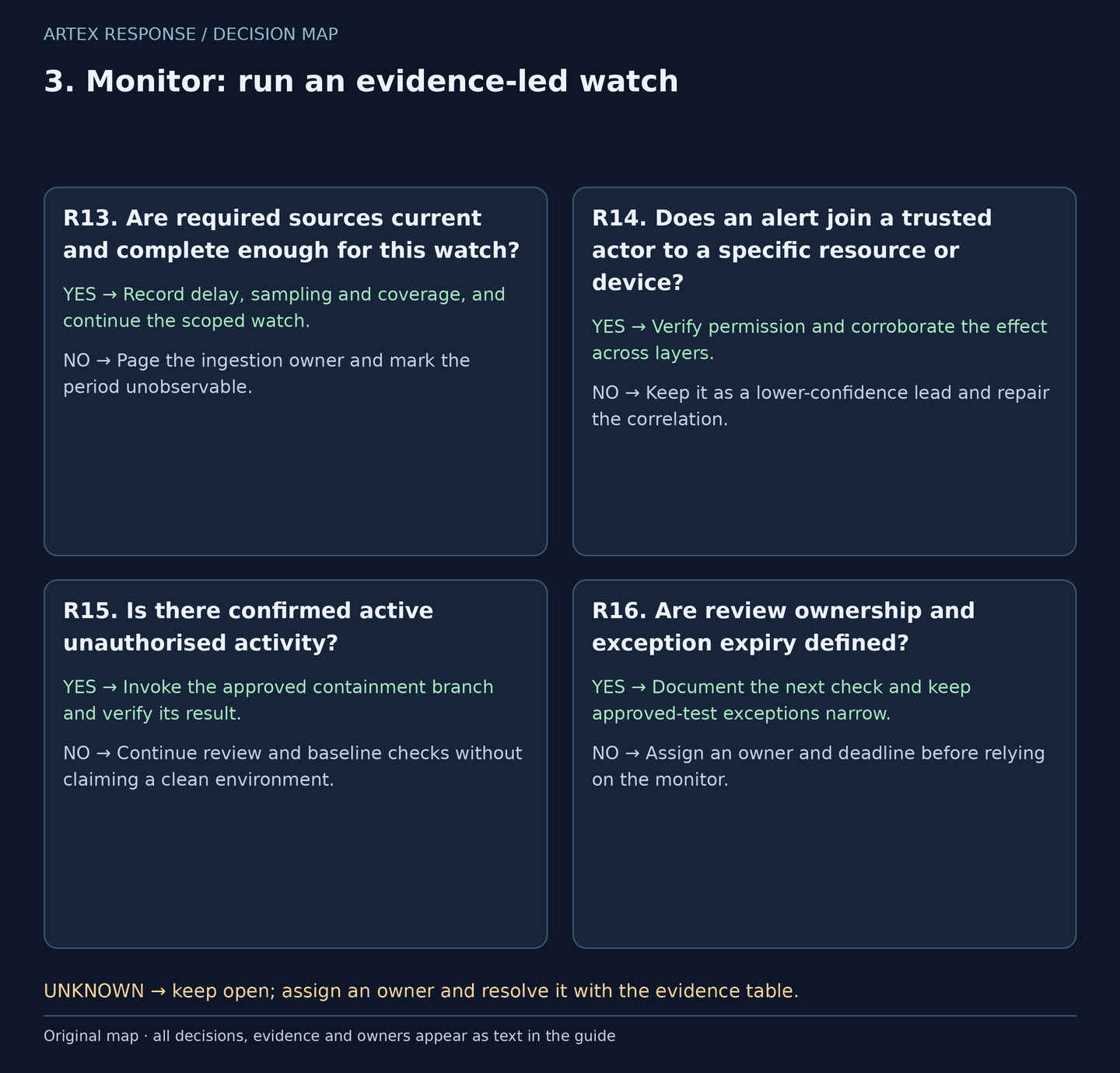
Original decision map. Check every applicable gate; the evidence column resolves unknowns.
| Decision | Yes | No | Evidence / resolve unknowns | Lead owner |
|---|---|---|---|---|
| R13. Are required sources current and complete enough for this watch? | Record delay, sampling and coverage, and continue the scoped watch. | Page the ingestion owner and mark the period unobservable. | Control events, collection heartbeat, late arrivals and inventory. | SIEM engineering |
| R14. Does an alert join a trusted actor to a specific resource or device? | Verify permission and corroborate the effect across layers. | Keep it as a lower-confidence lead and repair the correlation. | Trusted principal/resource/process keys; proxy trust and NAT context. | SOC + data owner |
| R15. Is there confirmed active unauthorised activity? | Invoke the approved containment branch and verify its result. | Continue review and baseline checks without claiming a clean environment. | Resource audit, unexpected execution, credential changes and approval. | Incident lead + control owner |
| R16. Are review ownership and exception expiry defined? | Document the next check and keep approved-test exceptions narrow. | Assign an owner and deadline before relying on the monitor. | Alert routing, on-call acknowledgement, scoped exception and expiry. | SOC lead |
How to do it: step by step
- Adopt the monitoring table with a named on-call owner, notification route and failure path. Check actual collection latency rather than assuming that “no events” means quiet.
- Keep event time and ingestion time separately. Confirm an expected benign event in each source; record sampling, retention and periods that cannot be reconstructed.
- Before scheduling a hunt, validate a bounded lookback with late-arrival overlap, a durable cursor or event-ID deduplication, parser mapping, capacity and escalation logic. The published manual hunts are not deployed production alert rules.
- If a query reaches its 100-result cap or its input cap, split the time window and preserve the backlog. Do not turn truncated output into an event total or a claim that later activity stopped.
- During an active case review accepted actions as well as blocked attempts. Expire exercise exceptions, and rehearse escalation with an approved test event. Record who accepted the alert and what they actually verified.
Check it worked: A benign test is visible, a missing-source condition is actionable, and every escalation has a named owner and an approved next action.
4. Investigate: establish scope without inventing certainty
Reconstruct the activity around the exact assets and identities involved. An alert timestamp is not the start of an intrusion, and an API response count is not automatically a count of people or stolen records.
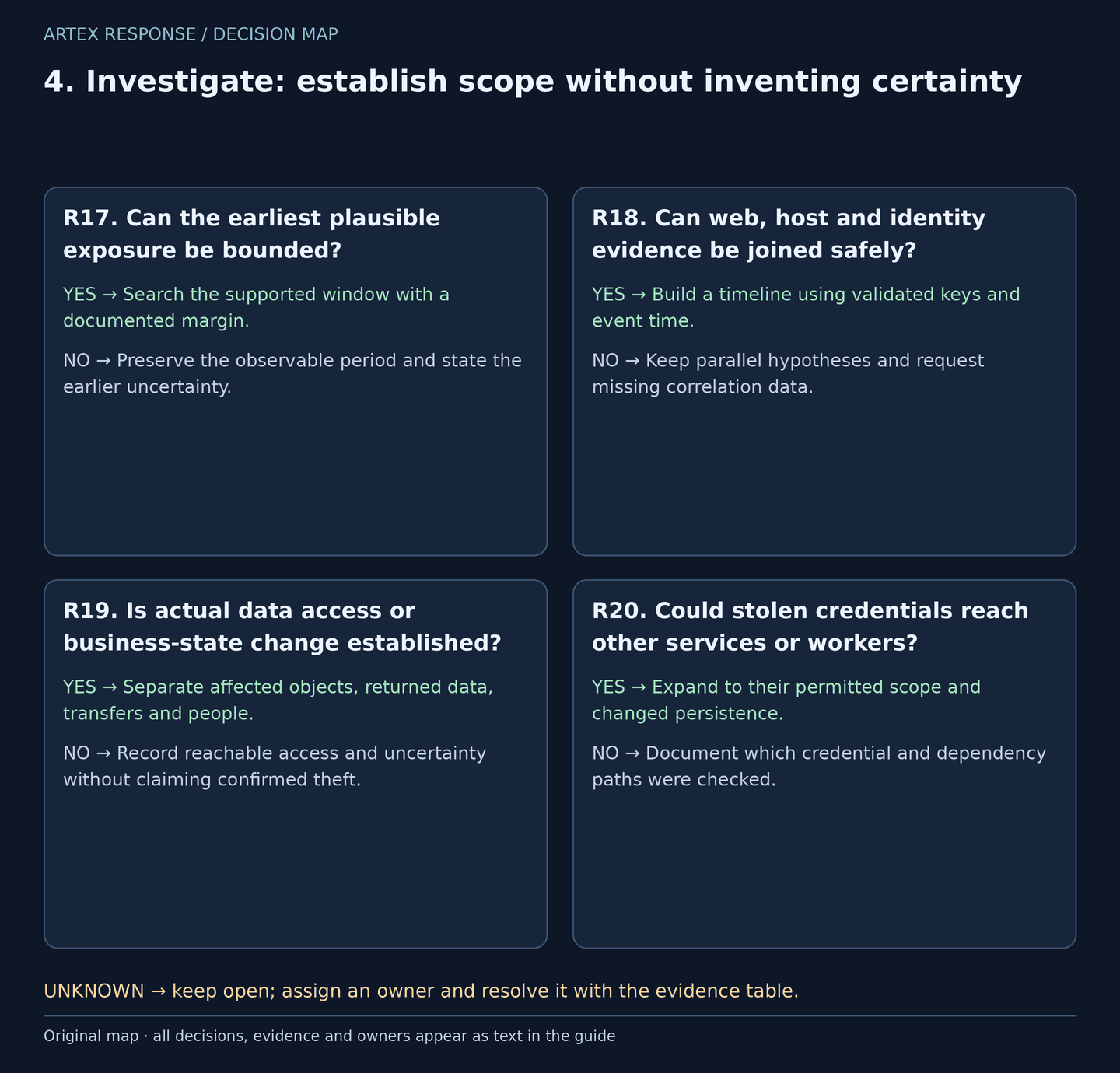
Original decision map. Check every applicable gate; the evidence column resolves unknowns.
| Decision | Yes | No | Evidence / resolve unknowns | Lead owner |
|---|---|---|---|---|
| R17. Can the earliest plausible exposure be bounded? | Search the supported window with a documented margin. | Preserve the observable period and state the earlier uncertainty. | Release/configuration history, first evidence, retention and clock offsets. | DFIR + service owner |
| R18. Can web, host and identity evidence be joined safely? | Build a timeline using validated keys and event time. | Keep parallel hypotheses and request missing correlation data. | Principal, object, request and process IDs; resolver trust and latency. | SOC + DFIR |
| R19. Is actual data access or business-state change established? | Separate affected objects, returned data, transfers and people. | Record reachable access and uncertainty without claiming confirmed theft. | Object audit, response metadata, storage jobs, egress and data ownership. | Data owner + Legal / Privacy |
| R20. Could stolen credentials reach other services or workers? | Expand to their permitted scope and changed persistence. | Document which credential and dependency paths were checked. | Credential inventory, target principals, provider logs and worker access. | IAM + platform owner |
How to do it: step by step
- Export relevant originals from edge, application, identity, EDR, storage and deployment sources. Record who collected them, UTC ranges, hashes, access controls, retention and gaps. Do not put incident data in this public repository.
- Trace the first plausible vulnerable deployment or credential exposure rather than starting only at the first alert. Review earlier evidence where retained and state where the record ends.
- Build a timeline keyed by validated principal, resource and process identity. Treat shared IPs, proxy headers, user-agent text and hosting geography as supporting context, not ownership or attribution.
- Ask the application/data owner which objects and fields were actually returned or altered. Count requests, unique records, duplicates and affected people separately; an HTTP success code is insufficient record-level scope.
- For an owned-harness incident, include projects, exports, worker jobs, stored sessions, model keys, SSH/cloud credentials and the host trust boundary. Apply the same scrutiny to any provider or supplier account used by the operation.
Check it worked: The timeline distinguishes confirmed effects, plausible reach and unknown periods, with a task owner for every material gap.
5. Contain: stop the unauthorised path
Contain the boundary that is actually being abused. Network isolation, API authorisation, user sessions and application credentials are different controls. Preserve available evidence in parallel; active harm does not wait for a complete collection.
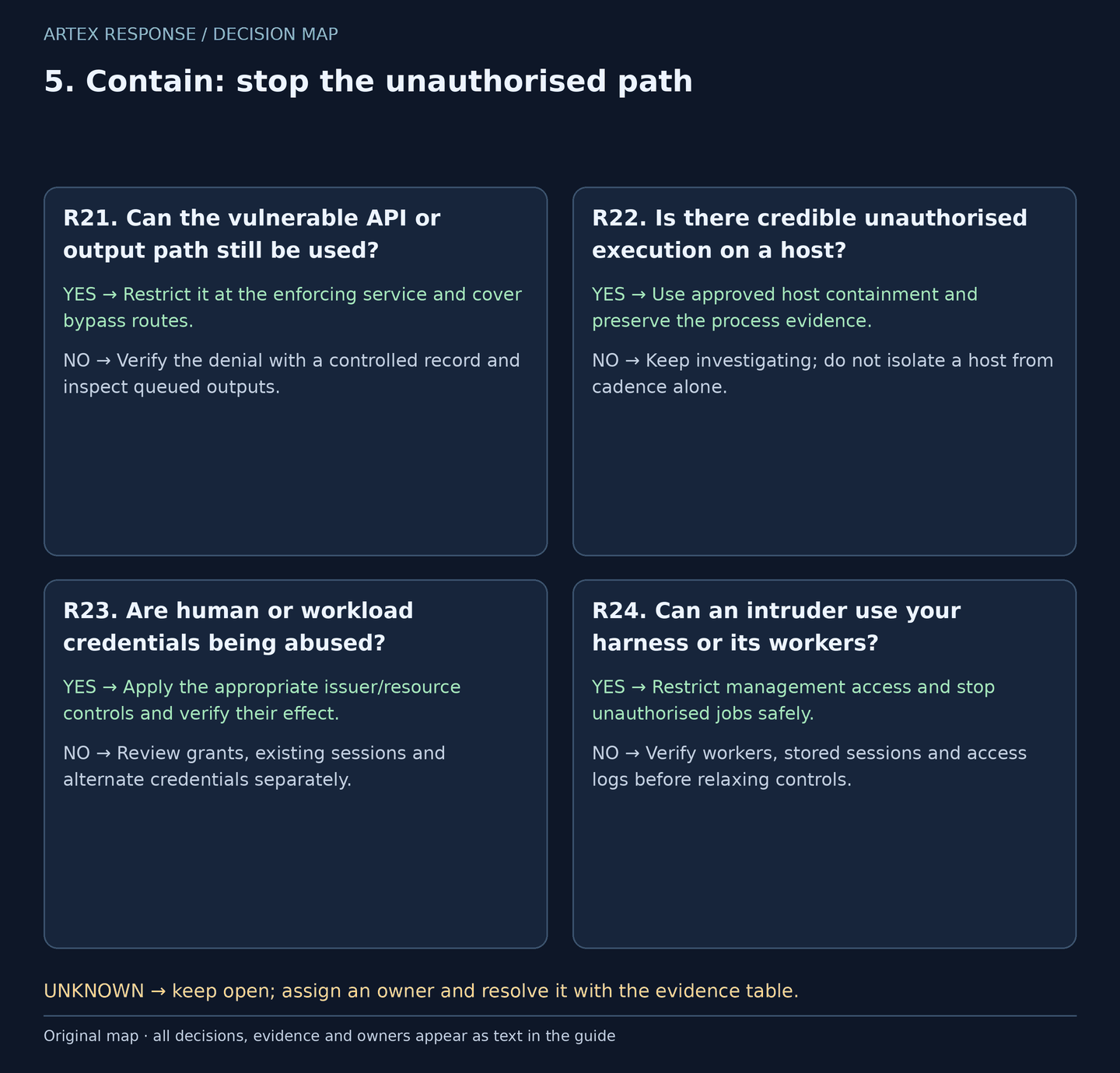
Original decision map. Check every applicable gate; the evidence column resolves unknowns.
| Decision | Yes | No | Evidence / resolve unknowns | Lead owner |
|---|---|---|---|---|
| R21. Can the vulnerable API or output path still be used? | Restrict it at the enforcing service and cover bypass routes. | Verify the denial with a controlled record and inspect queued outputs. | Backend result, direct-origin/old-version checks, jobs and caches. | API owner + SRE |
| R22. Is there credible unauthorised execution on a host? | Use approved host containment and preserve the process evidence. | Keep investigating; do not isolate a host from cadence alone. | Host identity, process lineage, approval and business dependency. | EDR + incident lead |
| R23. Are human or workload credentials being abused? | Apply the appropriate issuer/resource controls and verify their effect. | Review grants, existing sessions and alternate credentials separately. | User versus service-principal identity, token acceptance and audit. | IAM + application owner |
| R24. Can an intruder use your harness or its workers? | Restrict management access and stop unauthorised jobs safely. | Verify workers, stored sessions and access logs before relaxing controls. | Owned deployment, active jobs, proxy/auth audit and secret reach. | Platform owner + incident lead |
How to do it: step by step
- Record the authoriser, target, UTC, business impact and rollback criteria. Use the narrowest effective approved control, while protecting critical operations and responder access.
- For API abuse, disable or restrict the affected function at the service that enforces permission. Check old versions, direct origins, partner paths, export jobs, caches and signed outputs. A WAF block or a later 403 is not proof that an earlier write was undone.
- For confirmed host execution, verify the Falcon sensor aid or Defender DeviceId before using the authorised containment control. Check its actual result and preserve the EDR management path. Host isolation does not revoke cloud credentials.
- For human accounts, restrict compromised access and handle sessions and recovery methods. For application principals, coordinate service dependencies and assess credentials, grants and roles. Revocation behaviour varies: an issued access token may remain accepted until expiry or resource-side denial.
- For your own hijacked harness, close management reachability and stop unapproved worker tasks. Preserve available project/job and authentication evidence, then rotate exposed credentials from clean administration. Host-level or Docker/socket access can require a wider host response.
Check it worked: A fresh authorised verification shows the demonstrated unauthorised action is denied at the resource, with surviving paths explicitly tracked.
6. Eradicate: remove the cause and remaining access
ARTEX is an orchestration framework, not one fixed malware binary or persistence recipe. An API-only incident may leave business changes without endpoint malware. A server compromise can leave access that no longer needs the harness.
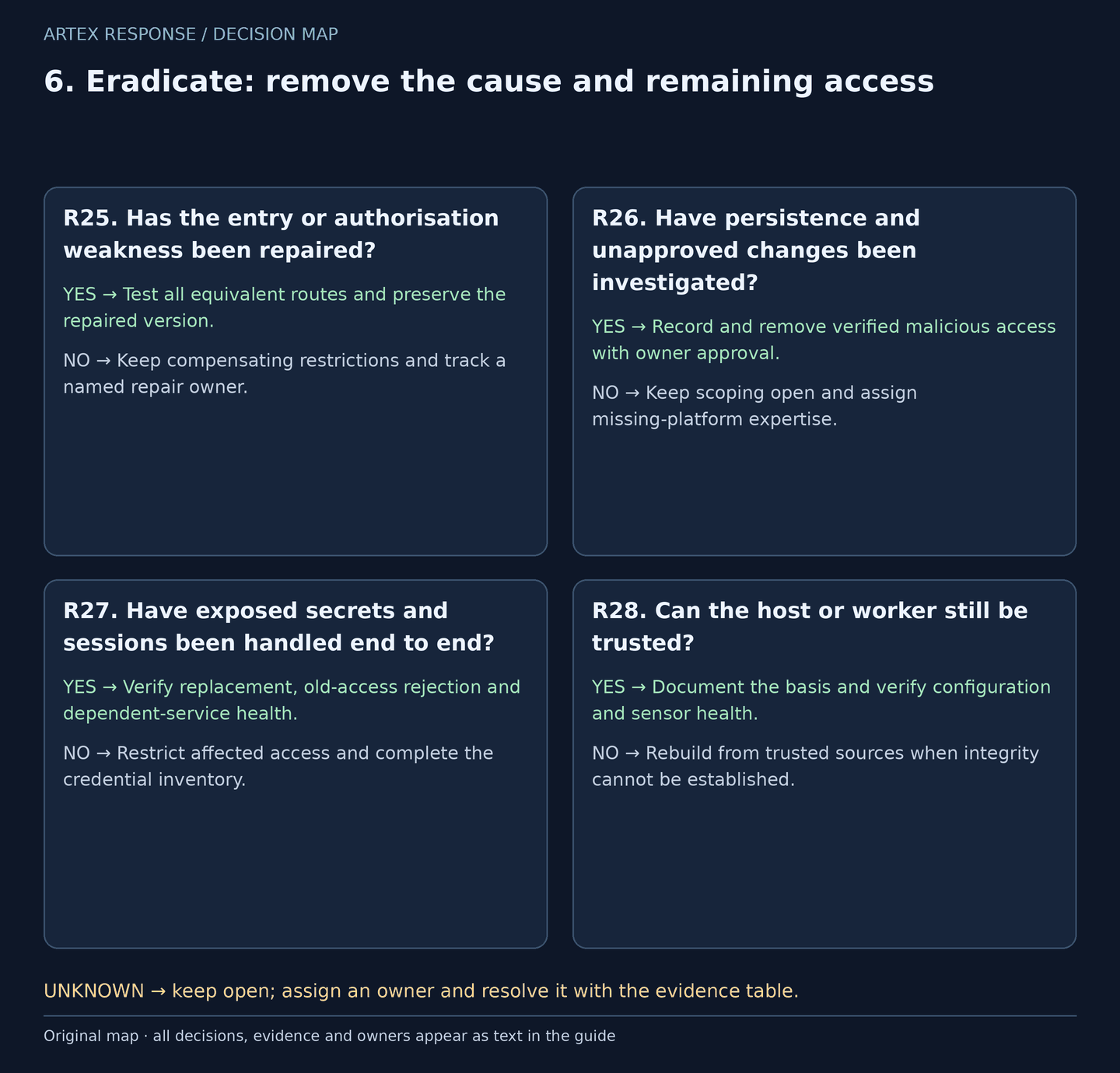
Original decision map. Check every applicable gate; the evidence column resolves unknowns.
| Decision | Yes | No | Evidence / resolve unknowns | Lead owner |
|---|---|---|---|---|
| R25. Has the entry or authorisation weakness been repaired? | Test all equivalent routes and preserve the repaired version. | Keep compensating restrictions and track a named repair owner. | Root-cause evidence, deployment/configuration diff and negative tests. | Engineering + AppSec |
| R26. Have persistence and unapproved changes been investigated? | Record and remove verified malicious access with owner approval. | Keep scoping open and assign missing-platform expertise. | Roles, grants, credentials, jobs, startup items and remote-access changes. | IAM + DFIR |
| R27. Have exposed secrets and sessions been handled end to end? | Verify replacement, old-access rejection and dependent-service health. | Restrict affected access and complete the credential inventory. | Secret reach, provider logs, token behaviour and rotation records. | IAM + service owners |
| R28. Can the host or worker still be trusted? | Document the basis and verify configuration and sensor health. | Rebuild from trusted sources when integrity cannot be established. | Execution privileges, host access, known-good sources and forensic findings. | DFIR + platform owner |
How to do it: step by step
- Fix the demonstrated root cause: server-side authorisation, exposed management access, a vulnerable component, compromised credentials or a combination. A framework-name blocklist is not a repair.
- Review persistence in the affected platforms: directory credentials and owners, app grants and roles, SSH access, scheduled tasks, services, startup items and remote tools where applicable. Preserve the evidence before removal when practicable.
- Work outward from the compromised identity and worker. Removing the first app or resetting one password does not remove credentials added to another principal or sessions stored in a different service.
- Rotate exposed model, cloud, SSH and application credentials from a clean system. Verify old access against the relevant provider/resource and monitor unexpected use or charges. Coordinate dependencies to avoid leaving an untracked emergency credential.
- If host-level execution or control of the container runtime undermines integrity, plan a trusted rebuild and handle secrets reachable from that host. Restore business records through approved reconciliation; do not overwrite legitimate subsequent transactions blindly.
Check it worked: The demonstrated entry path is repaired, remaining access has been reviewed, and secret/state changes have verified owners and outcomes.
7. Recover: reopen through explicit gates
Recovery is a controlled business decision, supported by fresh tests. A quiet dashboard, a closed vulnerability ticket or an isolated host alone does not establish that the resource will reject old access.
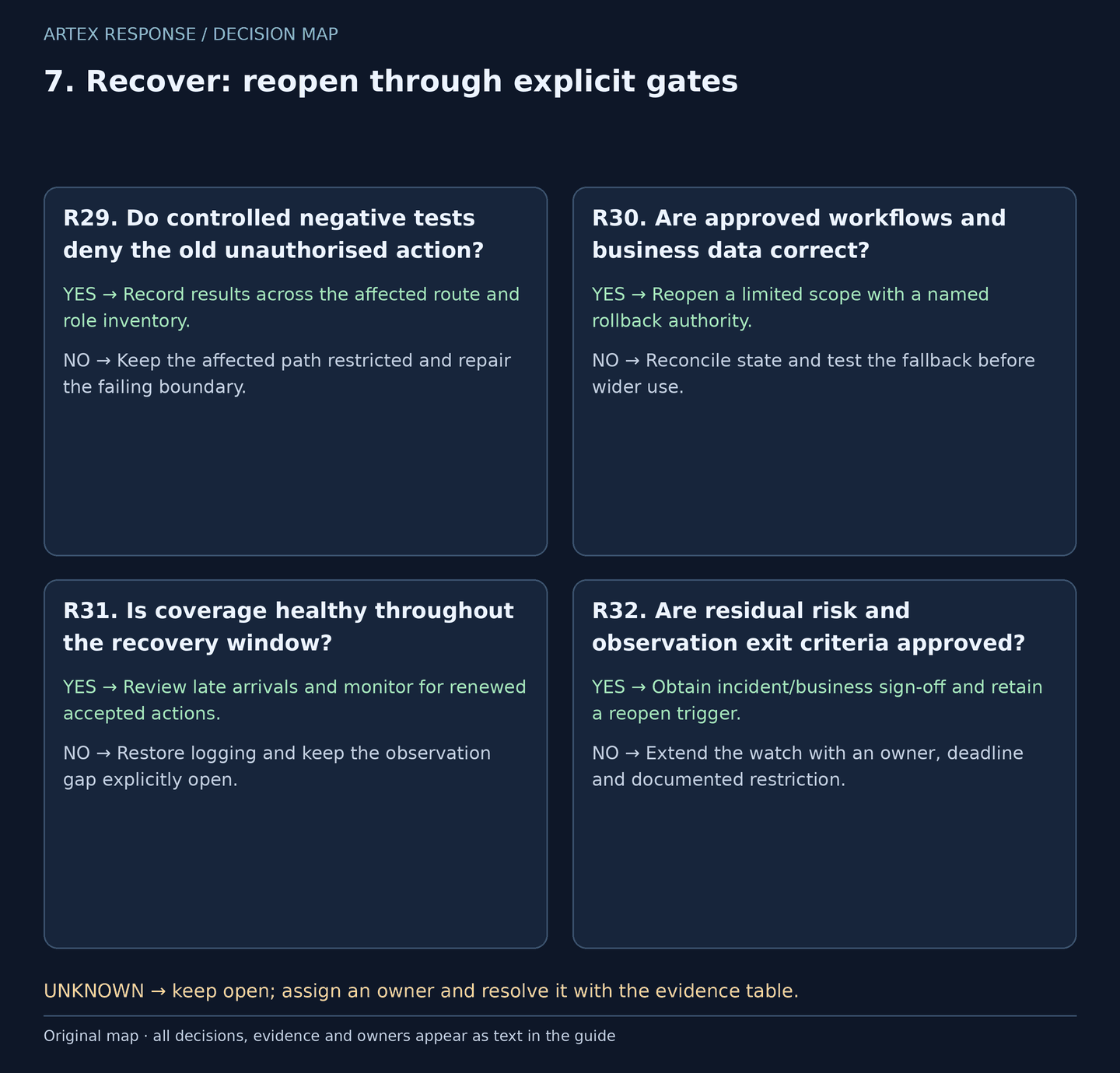
Original decision map. Check every applicable gate; the evidence column resolves unknowns.
| Decision | Yes | No | Evidence / resolve unknowns | Lead owner |
|---|---|---|---|---|
| R29. Do controlled negative tests deny the old unauthorised action? | Record results across the affected route and role inventory. | Keep the affected path restricted and repair the failing boundary. | Controlled accounts/records, response outcome and backend audit. | AppSec + API owner |
| R30. Are approved workflows and business data correct? | Reopen a limited scope with a named rollback authority. | Reconcile state and test the fallback before wider use. | Business validation, restored objects, jobs and known-good sources. | Business owner + SRE |
| R31. Is coverage healthy throughout the recovery window? | Review late arrivals and monitor for renewed accepted actions. | Restore logging and keep the observation gap explicitly open. | Source controls, sensor inventory, collection delay and query backlog. | SOC + platform owner |
| R32. Are residual risk and observation exit criteria approved? | Obtain incident/business sign-off and retain a reopen trigger. | Extend the watch with an owner, deadline and documented restriction. | Risk acceptance, token/session checks and a representative operating cycle. | Incident lead + business owner |
How to do it: step by step
- Test only controlled identities and records. Check the demonstrated action, cross-role/tenant denial, old API versions, origins and asynchronous outputs. Verify the actual response and backend state, not just a status code.
- Check old credentials or sessions through approved, non-destructive verification appropriate to the issuer/resource. A successful rotation command is not proof that every old access token stopped working.
- Have the business owner reconcile altered records, approvals, exports and pending jobs. Restore limited traffic or workloads first, with clean administration and a rollback that cannot reopen the original flaw silently.
- Reconfirm sensor/source health and process late-arriving logs before claiming the watch is quiet. Compare EDR records against independent inventory; missing records can reflect offline assets, other products or ingestion gaps.
- Agree an observation window based on exposure, token/session behaviour, logging delay and a representative business cycle. There is no universal 24-hour clean gate. Extend it when new evidence or unprocessed data remains, and name the authority to reopen the incident.
Check it worked: Reopening is approved with successful negative and business tests, healthy observation and explicit residual-risk ownership.
8. Communicate and improve: close with evidence
Explain impact and decisions without turning “possible AI use” into the headline conclusion. Legal and notification duties follow the affected data, contracts and applicable law, not a universal deadline invented for ARTEX.
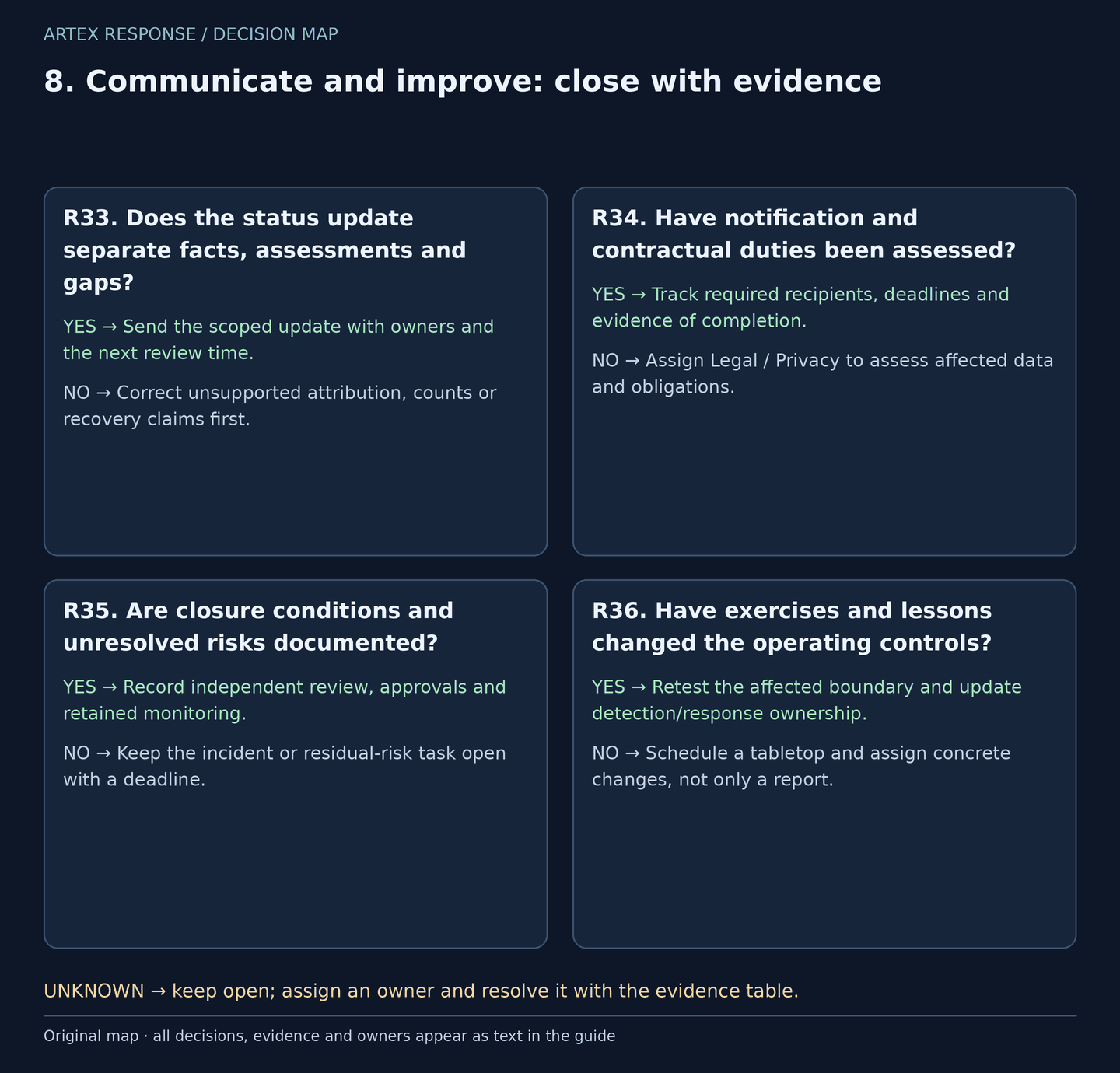
Original decision map. Check every applicable gate; the evidence column resolves unknowns.
| Decision | Yes | No | Evidence / resolve unknowns | Lead owner |
|---|---|---|---|---|
| R33. Does the status update separate facts, assessments and gaps? | Send the scoped update with owners and the next review time. | Correct unsupported attribution, counts or recovery claims first. | Evidence references, confirmed outcomes and confidence statements. | Incident lead + communications |
| R34. Have notification and contractual duties been assessed? | Track required recipients, deadlines and evidence of completion. | Assign Legal / Privacy to assess affected data and obligations. | Jurisdictions, data categories, contracts and discovery/awareness times. | Legal / Privacy |
| R35. Are closure conditions and unresolved risks documented? | Record independent review, approvals and retained monitoring. | Keep the incident or residual-risk task open with a deadline. | Completed gates, accepted exceptions, evidence retention and handover. | Incident lead + business owner |
| R36. Have exercises and lessons changed the operating controls? | Retest the affected boundary and update detection/response ownership. | Schedule a tabletop and assign concrete changes, not only a report. | Test records, alert handling, coverage gaps and action owners. | SOC lead + engineering |
How to do it: step by step
- Report confirmed access or changes, current containment, business impact, known data scope, uncertainty and next actions. Say “ARTEX-style activity” when that is an assessment; do not name an actor from a title, IP country or cadence.
- Give Legal / Privacy the timeline, data categories, affected parties and contracts. Track the applicable reporting clock without assuming one jurisdiction or a blanket 72-hour rule. Attribution is not a prerequisite to assessing notification duties.
- Complete the recovery gate with an independent reviewer where practical. Record accepted residual risks with an owner and due date; unresolved visibility is not a negative finding.
- Retain originals and the action trail under the organisation’s evidence policy. Share a sanitised summary rather than raw credentials, cookies, customer data or an unrestricted project export.
- Tabletop five cases: an approved test, an unauthorised API write, a stolen application credential, your own hijacked harness and a missing log source. Record expected decisions and handoffs, then test agreed controls without running an unapproved offensive framework.
Check it worked: The business and incident owners approved closure or explicit residual-risk follow-up, and each lesson has an assigned change and verification.
Monitoring plan: make every watch actionable
Download the monitoring plan. These are suggested human review cadences during an incident, not schedules already installed in Sentinel or Falcon. Ratify them with on-call coverage, collection delay and business criticality. A monitor's first prerequisite is evidence that its source is functioning.
| Monitor | Evidence and question | Review cadence | Decision / response | Owner |
|---|---|---|---|---|
| M01 | Source health: proxy, identity audit and EDR control events | Every 5 minutes during the incident | On missing controls or delay beyond the agreed budget, page ingestion ownership and mark the gap. | SIEM engineering |
| M02 | Accepted API effects: S1, C1, C5 plus resource audit | Every 5 minutes during the incident | Corroborate the exact actor/object; confirmed unauthorised actions invoke containment. | SOC + API owner |
| M03 | Identity outcomes and changes: S3, S4, resource logs | Every 5 minutes during the incident | Check approval and targets; review credentials, grants and roles through their owners. | IAM + SOC |
| M04 | Server execution and markers: C2, S2, C3 | EDR alerting plus a 15-minute incident review | Investigate lineage and authorisation; contain credible malicious execution, not a filename alone. | EDR + DFIR |
| M05 | Outbound transfers and callbacks: S5, S6, C4 | Every 15 minutes during the incident | Confirm direction, request granularity and process/data context before claiming exfiltration. | SOC + data owner |
| M06 | Inventory versus sensors: S7 and the independent CMDB | Daily and after restoration or deployment | Resolve stale/missing records, alternate EDR and ingestion gaps; do not infer compromise from absence. | IT Operations |
| M07 | Owned harness: proxy/auth audit, jobs and provider use | Every 15 minutes during an owned-harness incident | Stop unapproved jobs/access and handle secrets; review model-provider use and unexpected charges. | Platform owner |
| M08 | Recovery tests, late arrivals and remaining access | After every control change and through the agreed observation window | Verify old-access rejection and business tests; extend the watch for new evidence or backlog. | Incident lead + business owner |
Hunt selection and four worked starters
Use the complete hunt pack and coverage matrix for data contracts, false positives and blind spots. The thirteen victim-side examples below are reused unchanged from the framework. The pack also contains C7, a pinned Cairn-console example: its routes must not be presented as universal ARTEX endpoints.
Sentinel examples use 24 hours, except S7's seven-day sensor snapshot. Falcon requires last 1 hour in the time picker. Every native query caps output at 100; the web sequence/profile examples retain at most the oldest 10,000 matching inputs. Split busy windows. Confirm connectors, read permission and one known benign event before interpreting a quiet result.
| Hunt and download | Data and investigative purpose |
|---|---|
| S1 · Discovery followed by accepted API writes | ASIM _Im_WebSession |
| S2 · Reported probe-file markers | DeviceFileEvents (Defender ingestion) |
| S3 · Password-spray triage, including failed campaigns | SigninLogs |
| S4 · Workload sign-in followed by directory changes | AADServicePrincipalSignInLogs + AuditLogs |
| S5 · Repeated similarly sized outbound requests | CommonSecurityLog (CEF proxy) |
| S6 · Callback-service connections | DeviceNetworkEvents (Defender ingestion) |
| S7 · Inventory-to-sensor coverage review | DeviceInfo (Defender ingestion) + supplied inventory |
| C1 · Same-resource write/read-back sequences | CPS web logs + neighbor() |
| C2 · Web-worker shell or HTTP-client children | ProcessRollup2 |
| C3 · Reported markers in process command lines | ProcessRollup2 |
| C4 · Callback-service DNS pivots | DnsRequest |
| C5 · Repeated error-to-success write transitions | CPS web logs + neighbor() |
| C6 · Cadence profile for a scoped actor/app | CPS web logs + neighbor() |
S1 · Discovery followed by accepted writes
This ASIM web sequence joins one source IP and application host, not one proven session. It requires an absolute URL and numeric HTTP status in EventResultDetails, and assumes /api/ write routes. Map your parser and routes. A successful request still needs an authorisation and resulting-state check.
// Illustrative hunt; not executed in a live Sentinel or Falcon tenant.
// Sentinel: ASIM _Im_WebSession; last 24 hours, one app and one source IP, at most 100 pairs.
// Requires absolute Url, SrcIpAddr, HttpRequestMethod and numeric HTTP status in EventResultDetails.
let AppHost = "REPLACE_WITH_APP_HOST";
let SourceIP = "REPLACE_WITH_SOURCE_IP";
let Events = materialize(_Im_WebSession(starttime=ago(24h), endtime=now())
    | where SrcIpAddr == SourceIP
    | extend Parsed = parse_url(Url)
    | extend Host = tolower(tostring(Parsed.Host)), Path = tostring(Parsed.Path),
        Method = toupper(HttpRequestMethod), Status = toint(EventResultDetails)
    | where Host == tolower(AppHost)
    | project TimeGenerated, SrcIpAddr, Host, Path, Method, Status);
let Discovery = Events
    | where Method == "GET" and Status between (200 .. 299)
    | where Path matches regex @"(?i)(\.js\.map$|/openapi\.json$|/swagger\.json$|/\.env(?:\.[^/]+)?$|/\.git/config$|\.(?:sql|bak)(?:\.gz)?$)"
    | project SrcIpAddr, Host, ReadTime = TimeGenerated, ReadPath = Path;
Discovery
| join kind=inner (Events
    | where Method in ("POST", "PUT", "PATCH", "DELETE") and Status between (200 .. 299)
    | where Path startswith "/api/"
    | project SrcIpAddr, Host, WriteTime = TimeGenerated, WritePath = Path, Method, Status
    ) on SrcIpAddr, Host
| where WriteTime between (ReadTime .. (ReadTime + 10m))
| project ReadTime, WriteTime, SrcIpAddr, Host, ReadPath, WritePath, Method, Status
| order by WriteTime desc
| take 100
S4 · Workload sign-in followed by directory changes
Use a tenant service-principal object ID, not its public client AppId. The same principal and a 30-minute interval establish association, not a shared token or malicious persistence. Check the exact target change, approval and later resource access. This does not cover every managed-identity path.
// Illustrative hunt; not executed in a live Sentinel or Falcon tenant.
// Sentinel Entra workload sign-ins + directory audit; needs both ingestions and read permission.
// Use a tenant service-principal object ID, not a public client AppId. Last 24h; at most 100 pairs.
let Principal = "REPLACE_WITH_SERVICE_PRINCIPAL_OBJECT_ID";
let Starts = AADServicePrincipalSignInLogs
    | where TimeGenerated between (ago(24h) .. now())
    | where ServicePrincipalId == Principal and ResultType in~ ("0", "Success")
    | project PrincipalId=ServicePrincipalId, SignInTime=TimeGenerated, IPAddress, ResourceDisplayName;
let Changes = AuditLogs
    | where TimeGenerated between (ago(24h) .. now())
    | where Result =~ "success"
    | extend PrincipalId=tostring(InitiatedBy.app.servicePrincipalId)
    | where PrincipalId == Principal
    | where OperationName matches regex @"(?i)(credential|certificate|secret|owner|role)"
    | project PrincipalId, ChangeTime=TimeGenerated, OperationName, TargetResources, CorrelationId;
Starts
| join kind=inner Changes on PrincipalId
| where ChangeTime between (SignInTime .. (SignInTime + 30m))
| project SignInTime, ChangeTime, PrincipalId, IPAddress, ResourceDisplayName,
    OperationName, TargetResources, CorrelationId
| order by ChangeTime desc
| take 100
C2 · Unexpected web-worker children
This is native Falcon ProcessRollup2 telemetry scoped to one sensor aid. It finds direct children of selected web-worker names, so Java-hosted servers and indirect launch chains need extra coverage. Baseline maintenance and legitimate HTTP clients; review the actual process tree.
// Illustrative hunt; not executed in a live Sentinel or Falcon tenant.
// Falcon Insight EDR / Advanced Event Search. REQUIRED time picker: last 1 hour.
// One sensor AID; requires ProcessRollup2 with parent name and command-line telemetry.
// Direct web-worker children only; baseline approved maintenance before alerting. Output at most 100 groups.
#event_simpleName=ProcessRollup2 aid="REPLACE_WITH_FALCON_AID"
| ParentBaseFileName=/^(w3wp|httpd|apache2|nginx|php-fpm[0-9.]*|tomcat[0-9]*)(\.exe)?$/i
| FileName=/^(cmd|powershell|pwsh|bash|sh|dash|curl|wget)(\.exe)?$/i
| groupBy([aid, ComputerName, ParentBaseFileName, FileName], function=[count(as=Executions), collect([CommandLine, ParentProcessId, TargetProcessId], limit=10)], limit=100)
| head(limit=100)
C6 · Describe tempo without classifying AI
This needs CPS web logs in Falcon NG-SIEM, including a trustworthy user.id. An endpoint sensor does not supply these HTTP paths. It profiles only gaps from zero to 600 seconds and excludes longer idle gaps; percentiles are context, not a universal ARTEX band or an automatic containment decision.
// Illustrative hunt; not executed in a live Sentinel or Falcon tenant.
// Falcon NG-SIEM CPS web logs. REQUIRED time picker: last 1 hour.
// Profile only: no universal 2-25s or 25-31s AI threshold. Compare with the app's baseline and independent evidence.
// One source/app, principal required. Oldest 10,000 inputs retained; at most 100 groups.
#type="REPLACE_WITH_WEB_PARSER" source.ip="REPLACE_WITH_SOURCE_IP" url.domain="REPLACE_WITH_APP_HOST" user.id=* url.path=*
| sort(@timestamp, order=asc, limit=10000)
| t := @timestamp
| groupBy([source.ip, url.domain, user.id], function=neighbor(include=[t, url.path], prefix=prev), limit=max)
| GapSeconds := (t - prev.t) / 1000
| test(GapSeconds >= 0 and GapSeconds <= 600)
| groupBy([source.ip, url.domain, user.id], function=[count(as=Gaps), count(url.path, distinct=true, as=DistinctPaths), min(GapSeconds, as=MinGap), max(GapSeconds, as=MaxGap), percentile(field=GapSeconds, percentiles=[10,50,90])], limit=100)
| Gaps >= 20
| head(limit=100)
Interpret the other pivots correctly. S3 counts selected invalid/locked/unknown-account failures, not every MFA interaction. S2/C3 use removable reported markers. S6/C4 identify shared callback-service connection or DNS leads, not proven exfiltration. S5 requires one HTTP transaction per event and client-to-destination SentBytes; uniform bytes are also common in benign telemetry. S7 requires authoritative inventory: an event search cannot enumerate hosts the sensor never saw.
In Sentinel's ingested Defender tables use TimeGenerated; Defender Advanced Hunting uses Timestamp. Defender DeviceId, Falcon aid, a client AppId and a tenant principal object ID are distinct. C1/C5/C6 require trusted principals, and exact-object correlation needs more than url.path when identifiers sit in query parameters. POST-created objects need Location/object-ID handling beyond C1.
For an owned ARTEX deployment, map its actual management, task, export and WebSocket routes and collect proxy/authentication audit. Do not assume that C7's Cairn-specific paths identify or protect your ARTEX version.
Four copyable operating templates
Keep completed templates in the restricted case workspace. Evidence references are safer than pasting raw secrets or customer data.
Incident intake and evidence card
Case ID / incident lead:
Branch: victim system / owned harness / both
UTC: earliest plausible exposure / first confirmed effect / last observed effect
Approved exercise: owner / scope / expiry / confirmation reference
Assets: tenant / principal object ID / app host / exact resource / DeviceId or aid
Confirmed effects:
Assessments and remaining gaps:
Evidence references / hashes / restricted storage / collector:
Containment authority / business dependency:
Next owner / next update UTC:
Monitoring contract and handoff
Case ID / monitor ID / on-call owner / notification route:
Data source / parser / expected benign control event:
Event-time window / ingestion delay / accepted latency budget:
Scope: trusted principal / resource / host:
Bounded lookback / late-arrival overlap / cursor or dedup key:
Input-output caps / backlog handling / retention:
Condition -> reviewer -> authorised action:
Approved-test exception: scope / owner / expiry:
Missing-source action / next review UTC:
Containment change and verification
Case ID / control owner / authoriser / operator:
Target: exact route / host / principal / job:
UTC action time / change reference / business impact:
Evidence of pre-change effect (restricted reference):
Action / expected denial / safe rollback condition:
Fresh verification: resource outcome / event ID / UTC:
Remaining tokens / jobs / alternate paths:
Dependencies / accepted risk / next check owner and UTC:
Recovery gate and closure handoff
Case ID / incident lead / business owner / independent reviewer:
Entry and authorisation repair: version / routes / evidence:
Persistence and exposed secrets: scope / removal or rotation / old-access test:
Business state and approved-workflow tests:
Controlled negative tests and backend audit references:
Source health / late arrivals / remaining backlog:
Observation window / owner / exit criteria / reopen trigger:
Residual risks: owner / deadline / explicit acceptance:
Legal-notification decision / evidence retention / approvals UTC:
Sources and review boundaries
Reviewed 4 November 2026. The lifecycle, decisions, monitoring cadences, templates and diagrams are our operational synthesis. The NIST SP 800-61 Rev. 3 publication is a general response-lifecycle reference; this is not an official NIST mapping or a claim that these 36 gates are mandated by it. Its page could not be retrieved under the environment network policy during this revision.
- Primary reporting retrieved: Unit 42's 30 October ARTEX note, which describes API/identity attempts and accepted changes while qualifying its behavioural AI assessment; and JPCERT/CC's 8 October alert, updated 23 October, which separates API, JSP-web-shell and AI-framework abuse cases. Its API case B and JSP case D do not establish ARTEX attribution for those cases.
- Hunt provenance: the framework article, its pinned upstream review, Microsoft table definitions and downloadable review records. Some static markers trace to the owner-supplied RST reference discussed there; they are attributed leads, not newly verified universal ARTEX artifacts.
- Query limits: the seven KQL files in the reused pack passed Microsoft.Azure.Kusto.Language 12.4.1 syntax parsing. This does not bind workspace fields or execute a query. Falcon CQL has static review only. No example here has been executed in a live Sentinel/Falcon tenant, and no monitoring rule or response action has been deployed.
No console was accessed, default password tried, global index search or scan run, or offensive framework/malware executed for this guide. No detection rate or guaranteed containment time is claimed. Adapt the procedures and validate queries with your authorised owners before operational use.
Related response procedures: API data exposure, account compromise, leaked cloud keys and supplier breach. For host evidence, use the DFIR course.